Ask for Resources in Gemini Notebook
Gemini Notebook (formerly NotebookLM) makes it easy to create resources. Just ask.

Teacher Tech is a blog curated by Alice Keeler dedicated to student-centered learning with EdTech, providing practical strategies for using Google tools, AI, and digital resources to enhance engagement and deepen learning. Alice is known as the Queen of Spreadsheets, Teacher Tech features Google Sheets tips to improve workflow, streamline feedback, and create data-driven learning experiences. With a focus on pedagogy before technology, the blog emphasizes Depth of Knowledge (DOK) to move beyond rote memorization and promote critical thinking, problem-solving, and authentic learning. From Google Classroom tips to replacing worksheets with collaborative activities, Teacher Tech supports educators in creating connected classrooms that empower students to take ownership of their learning.
Gemini Notebook (formerly NotebookLM) makes it easy to create resources. Just ask.
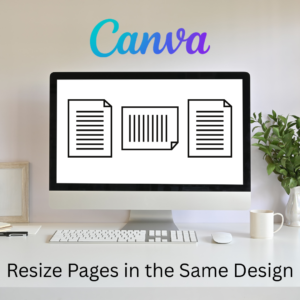
Sometimes I need part of my design project to be landscape, but others to be portrait. You can do that all in the same Canva project.
A short story about how Book Creator is still available through Kami, and how the two complement each other in a learning cycle to enhance your lessons. PLUS why Kami is more than just a PDF annotation tool.
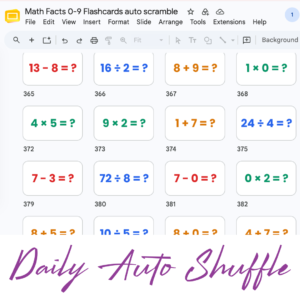
Google Slides with all the math facts to practice.
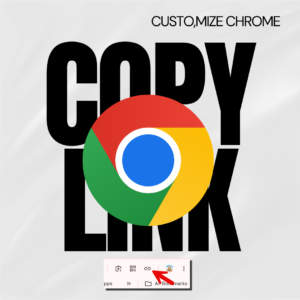
Hate copying the URL from a website? Chrome makes it fast.

One of the first steps in starting a new school year is setting up your Google Classroom.
Quick Start Guide for Google Gemini
Get started with Vibe Coding using Gemini Canvas and then upgrade with Google Antigravity.
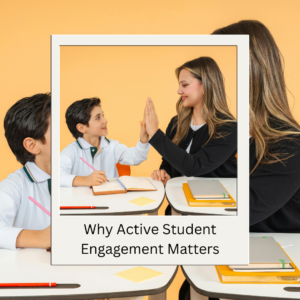
Active student engagement improves student learning. However it is not about entertaining but rather engaging critical thinking.
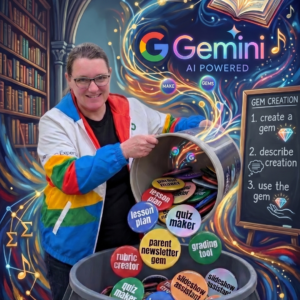
My opinion, ditch Magic School. Use Google Gemini Gems instead. They are free , integrated into your Google Workspace, safer with your data.

What is the difference between Gemini and Gems? How do I make a Gem? How do I use a Gem?
When using AI, Google Gemini, try out the Gemini Canvas tool to make cool things.
The key to Google Gemini or ChatGPT is having a good prompt, but they are hard to write. Let Gemini help you with that.
NotebookLM is one of the best AI tools an educator can use, and it’s free. However, you want to make sure you also vet the sources.
App Smash NotebookLM and Canva to create custom Infographics.

What is an Agent? It is an AI action that you don’t have to take. As teachers… we need more helpers doing things for us.

Google announced new TPU chips at Google Cloud NEXT 26. What does this mean for education?
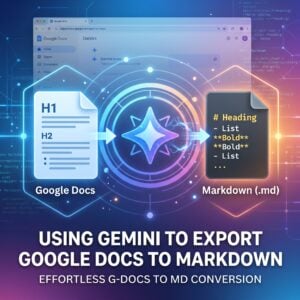
Markdown uses simple text symbols to keep your formatting portable and clean across any digital platform. Gemini can help by accurately translating your collaborative drafts into this universal format, ensuring your content is ready for the web in seconds.

As much as we wish AI would do it for us, remember that AI is not magic. To get quality output you have to be an expert.

#EduSky is an educator community. Come join us on Bluesky social app. An alternative for twitter.

Gemini can create Google Slides.

What is wrong with this AI lesson plan? I tried a popular lesson plan service and was greatly disappointed.
Engage is Kognity’s online event that will unite school and district educators from across the country for a day filled with learning, networking, and collaboration. Attend for free by using the code ALICEKEELER100

Looking for a fun activity to do with your students? Look no further than Pixel Art! Harness the power of TemplateTab by Alice Keeler to

Jamboard has joined the Google Graveyard. Your replacement is FigJam. A collaborative digital whiteboard that is so much more! Check out what is next for classroom collaboration and digital whiteboarding. Jamboard in the Google Graveyard is no reason for tears. Use FigJam for free by Figma.

In our pursuit of Martin Luther King Jr. and educational equity, it’s vital that we address the digital divide, a significant barrier to equal access to learning opportunities. This reflects the essence of what Martin Luther King Jr. stood for – a relentless quest for equity, particularly in education, where every student deserves a fair chance to succeed.

Technology should serve as a bridge that connects students rather than a wall that isolates them. Curipod™ helps fulfill the true promise of educational technology by shifting the focus from passive clicking to active student voice.

A list of names or columns of Google Form questions can be difficult to read when they go off the screen. Try this to organize better.

You invested in a high quality standing desk from Flexispot but there seems to be an issue? Flexispot Standing Desk Won’t Move. How do you fix this?
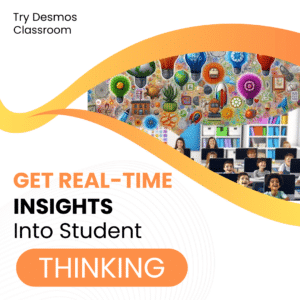
Desmos Classroom is a FREE tool that allows you to gain real time insights into student thinking during a lesson.

Use tech tools like Grouper, Google Classroom, or Classkick to support differentiation in your classroom. No panacea, but tech can help!

Join Alice Keeler, Google Developer Expert, as she joins the 5th season of Totally Unscripted as a co-host with Martin, Charles, and Kara.

Join Alice Keeler Feb 9th (or catch the recording). Alice partners with OTIS for a course on Google Drive Hacks You Didn’t Know Were Possible. Be prepared to walk away with at least one thing you didn’t know you could do with Google Drive.

You need this! Clay Smith, Google Certified Innovator, has created a Chrome extension that will automatically go to the next slide after a set amount of time. Auto Advance Google Slides

Quickly! Take advantage of ChatGPT to learn how to code Google Workspace with Google Apps Script. Google Developer Expert Alice Keeler will teach you how to go from zero to intermediate user in 6 weeks. Space is limited. Register now.

Do some lesson plan ideas feel like a $10,000 tiny house on Amazon… that lack the actual cost of time and money?
Join Alice Keeler, Thursday April 28th or register to gain access to the recording.
Create a free OTIS account.
Join Alice Keeler for this session for teaching with AI

Imagine having a team of teaching assistants who already know your syllabus and exactly how you like to give feedback. Join Google Certified Innovator Alice Keeler to learn how to use Google Gems to build a powerful collection of custom AI tools. We will explore how to engineer specific instructions so you can create a Grading Assistant or a Classroom Policy Manager that works for you. You will also learn how to leverage Gems shared by other educators to instantly expand your toolkit. This session is about super-powering your teaching by automating the routine tasks so you can focus on the students.