Deborah Alexander with How to Set a Passcode
Guest blog post with Deborah Alexander
On Twitter Jen Wagner noted that sometimes when families install Google things on their iPad devices that the school requires a passcode on the device.
In Google Classroom, we have several families (w ipads) when after downloading the app — get a "your admin says you have to make a passcode" — we are stumped how to fix this
— Jen Wagner (@jenwagner) March 18, 2020
Solution
Through a series of tweets Deborah Alexander shared the solution. Since Jen’s school is probably not the only one, here is how to set the passcode:
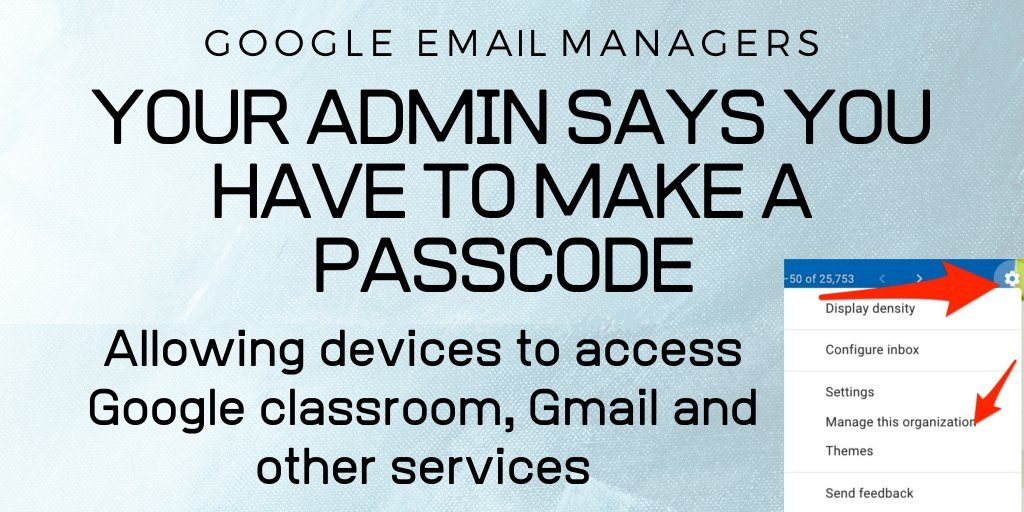
Okay, it is not "device management" like Meraki device mgmt, which is what I was checking. It is Google settings in G Suite for Education. I made these images since I am assuming there will be others who need this. pic.twitter.com/Yhvgc2EaVL
— Deborah Alexander (@deb_k_alex) March 19, 2020
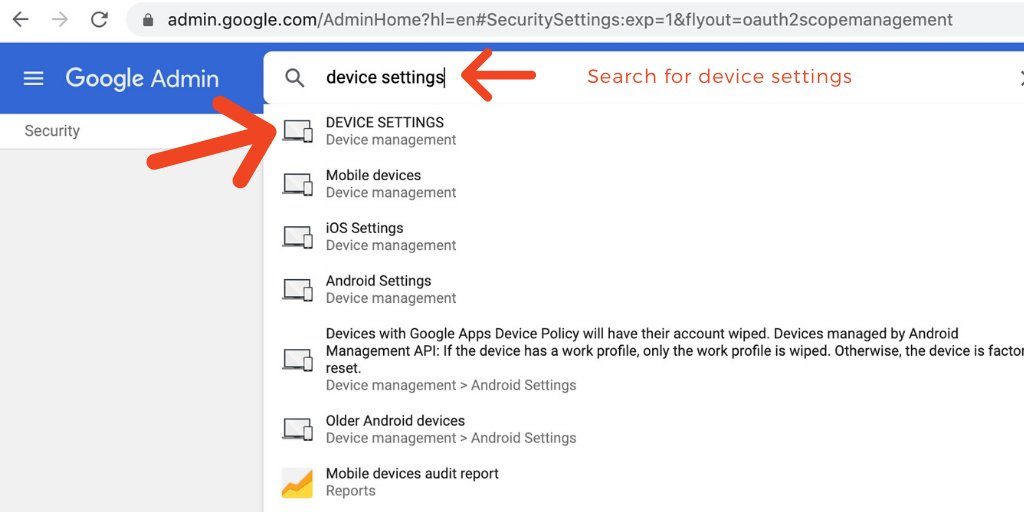
Step 2/3 pic.twitter.com/cQVwxlepHm
— Deborah Alexander (@deb_k_alex) March 19, 2020
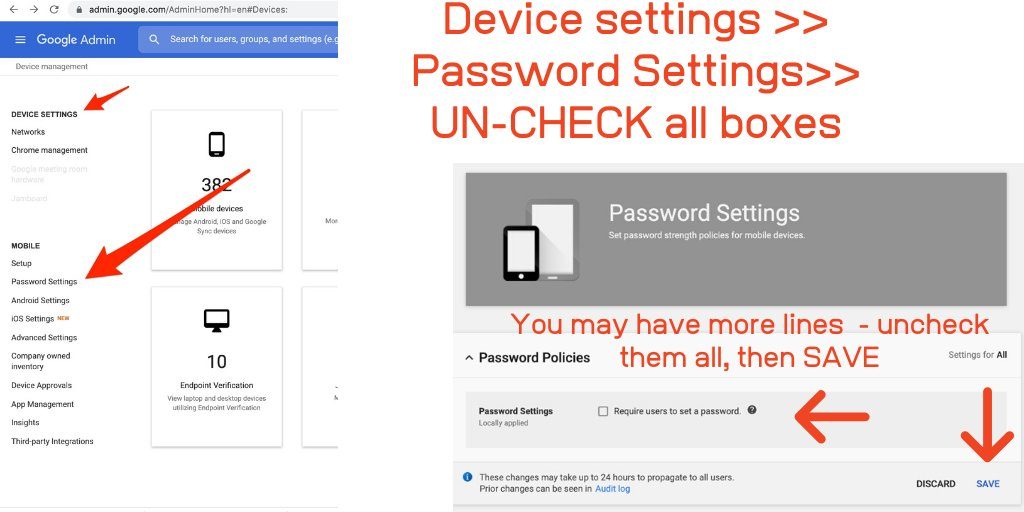
Step 3/3 pic.twitter.com/TCL6BBaNXT
— Deborah Alexander (@deb_k_alex) March 19, 2020
ADMIN/ devices/ password settings
— Jen Wagner (@jenwagner) March 18, 2020
Lurk on Twitter
Even if you do not normally use Twitter now is a great time to start looking. The trick is to only look at teachers like Deborah and Jen who are sharing out tips and tricks. For more advice see my blog post about lurking Twitter for Remote Learning.
In Images