





I have been pondering how to use QR codes in the classroom. My favorite use being to tape QR codes into old textbooks to make them relevant. The code pictured below goes to a YouTube video with directions on how to do those math problems.
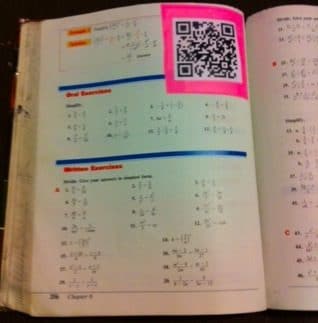 Note: I used a super sticky post it label so I wouldn’t damage my book and then taped the QR code on top of that.
While brainstorming ways QR codes can be used in the classroom I started making posters. I was thinking I can make some sort of visual that would make a nice info poster for any subject… which is when I thought it would be fun to make samples.
Here is one for an English class, keep in mind these are just samples made by a math teacher
Here is one I made for a historical timeline
The timeline took me significantly longer than I anticipated, but it did get me to thinking that both of these would make great student projects!
To create them I used Google Drawings. I had side by side windows where I used Google Search to find websites with information that I wanted students to be able to access, then copied and pasted the URL into http://goo.gl and got the QR code URL link. In Google Drawing I inserted-image-by URL.
Update: I have created a website to organize all my QR code samples. https://alicekeeler.com/qr






3 thoughts on “Using QR codes to create educational posters”
Thank you so much for sharing. A colleague and I are planning on a quick technology training with QR codes. Your ideas are a great help to all of us. You have wonderful ideas – better than I have seen or found to day regarding QR codes.
This is a great article on QR Codes. There are a ton of things that teachers can do with them these days.
I love this I cant wait to share with the school’s tech person.