

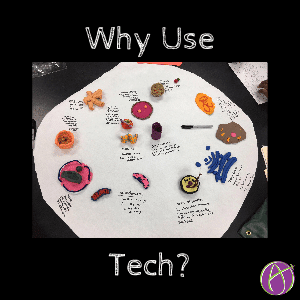




Exactly Why Are You Using Tech????
Just because it is digital, does not make it better. As was true before we were using tech, we need to thoughtfully and intentionally design activities for student engagement.
4 C’s
When using tech I want to know how it makes the task BETTER?
- Allows for more collaboration.
- Increases critical thinking opportunities.
- Students can clearly communicate their ideas in a unique way.
- Students can demonstrate creative thinking.
Draw a Cell on a Tablet
I was asked, how can students draw and label a cell on a tablet. This is the exact same task we were asking students to do when we used paper. So my question is, how does tech enhance this task? Why are students more engaged?
Sketching a cell on a tablet hits NONE of the 4C’s.
Engagement
Sketching a cell is not that engaging. If students are going to remember the parts of the cell beyond the quiz or test an engaging interaction certainly helps.
[tweet]Technology does not create engagement, your lesson design does![/tweet]
Projects
Technology is not always the answer. Let’s not cut out making things from our classrooms. I remember the projects and activities I did in school, not so much the note taking and tests. Is “fine” the answer to “how was school today?” or “It was so cool, we did ____.”
If I sketch a cell, it’s a task I probably will not remember. If I build all the parts in play-doh…. that is braggable. “Mom, we used play-doh today to make mitochondria!”
#tlap A2 Making Giant Cells pic.twitter.com/eAf14HKH4F
— collidingwithscience (@ChouinardJahant) October 4, 2016
@alicekeeler @ChouinardJahant Build it in 3D? https://t.co/BDwGEMPnO8 pic.twitter.com/wuFOAIq10a
— Neal Manegold (@NealManegold) October 4, 2016
@alicekeeler @ChouinardJahant Alice, I teach science and love tech. We recently chalked our giant cells, however! #balance pic.twitter.com/rIxjM3QfFl
— Amy Moffatt (@moffatt_teach) October 4, 2016
@alicekeeler @ChouinardJahant Kids make cell out of food & share with their classmates. Who doesn’t want a piece of that?! #EdibleLearning
— Jessica Kemper (@JKemperEDU) October 4, 2016
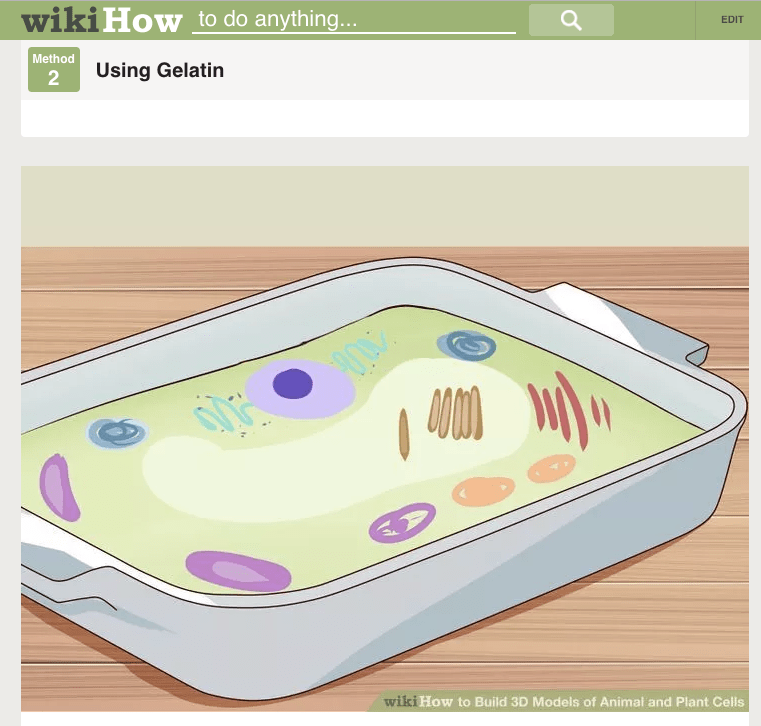
Try a search for “3D cells project ideas,” lots of fun ideas!
Tech
Allowing the students to choose their medium can be an easy way to increase student engagement.
Some students may want to:
- Build their cell in Minecraft.
https://www.youtube.com/watch?v=eTGfqv45oTk - Create a ThingLink.
- Use Picktochart to create an infographic.
- Create a Storyboard That to create a digital story of the cell.
- Explore a 3D cell in Second Life
https://youtu.be/2x5IrVdjxQs - Code their cell in Scratch.
- Use Educreations to record drawing the cell.
- Create a Prezi of the cell.
- Create a Haiku Deck presenting the cell.
- Use Touchcast to create a touchable video of the cell.
- Adobe Spark to create a web story.
- Create a Sway.





