One of the tools I use most often is Google Forms. I do not want to create a new form each time I want to collect similar information from students. For example, I like to use a Google Form for a morning warm-up and also one for collecting digital work. I would not want to make a new form daily or one per assignment. However, I can not rely on students (or adults) to type in the assignment title exactly the same. In sorting the spreadsheet of resulting data, you want consistent naming.
Google Forms allows you to create a pre-filled URL which will pre-slug some of the fields.
Click Here for a Sample Form: http://goo.gl/FGkZtq
Click Here for a Sample PRE-FILLED Form: http://goo.gl/ir6HCH
Notice in the pre-filled form the length and complexity of the assignment title. It is understandable that anyone filling out a form may abbreviate, type in the incorrect information, misspell or have other inconsistencies. By pre-filling in the information this alleviates some of the data entry students need to fill out, reduces confusion about what they are suppose to be entering into the form and allows students to submit the exact information exactly the same way as the other students.
Step 1: Create a Google Form
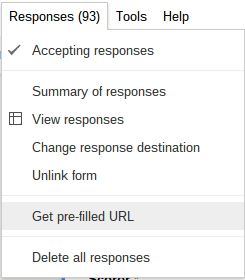
Step 2: Under the Responses Menu, choose “Get Pre-Filled URL”
Step 3: Type in/select the default information into what looks like the form but is not.
Step 4: Click Submit
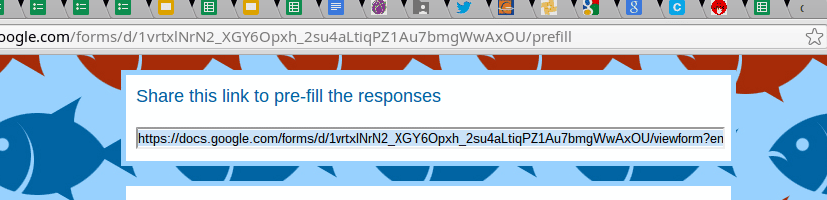
Step 5: Copy the URL in the “Share this link to pre-fill the responses” with the students.