
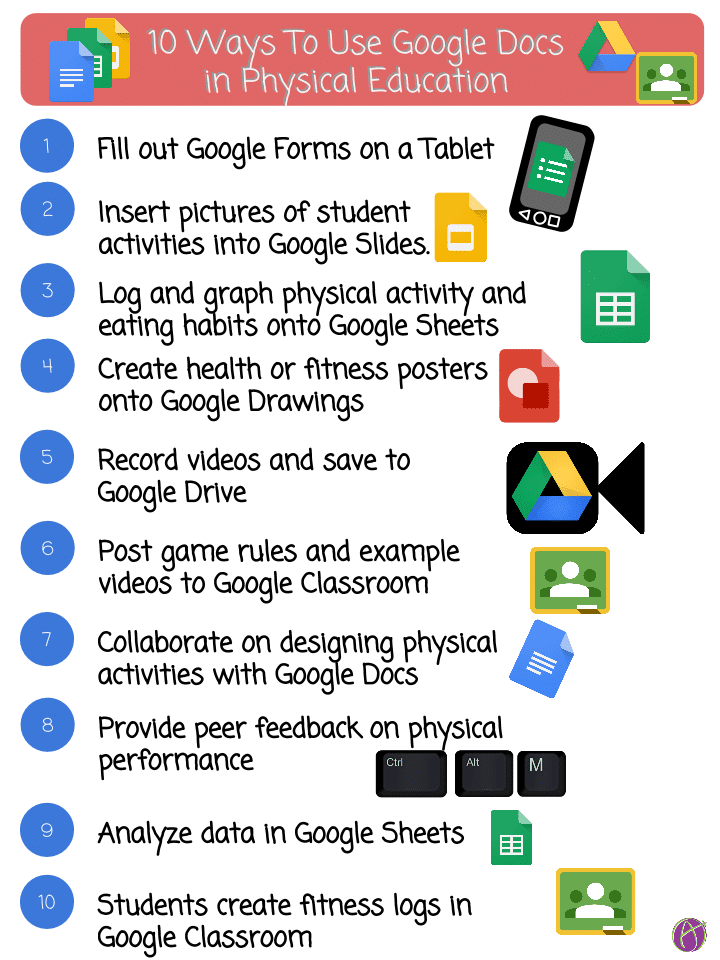
Link to Google Drawing: https://goo.gl/i8U5vj
Teachers, please feel free to use this at your schools and with students. This image is under copyright, please do not republish onto public blogs.

Link to Google Drawing: https://goo.gl/i8U5vj
Teachers, please feel free to use this at your schools and with students. This image is under copyright, please do not republish onto public blogs.








© 2026 All Rights Reserved.
Get effective EdTech strategies from Alice Keeler to build a more student centered classroom. Includes unique resources and templates.
Join Alice Keeler, Thursday April 28th or register to gain access to the recording.
Create a free OTIS account.
Join Alice Keeler for this session for teaching with AI
Imagine having a team of teaching assistants who already know your syllabus and exactly how you like to give feedback. Join Google Certified Innovator Alice Keeler to learn how to use Google Gems to build a powerful collection of custom AI tools. We will explore how to engineer specific instructions so you can create a Grading Assistant or a Classroom Policy Manager that works for you. You will also learn how to leverage Gems shared by other educators to instantly expand your toolkit. This session is about super-powering your teaching by automating the routine tasks so you can focus on the students.
1 thought on “10 Ways to Use Google Docs in Physical Education”
Thanks for this blog and those great tweets. I am getting Googliterate… Today I made strides with Google forms/responses a should be able to easily collect much relevant student information at the beginning of the year. I also got stuck into Google Classroom and should be much further ahead in the next few days. I have some time as we do not start until after Labour Day here in Canada. So I’m feeling optimistic about it all.
Again, thanks for sharing.
JMcK


