One of the things that made Gmail unique when it first came out was “conversations.” Instead of each email being it’s own line in the inbox, emails with the same subject line are stacked together so you can see the full conversation. The problem with this is that it is not uncommon for the conversation to take a turn.
Make the Subject Line Matter
[tweet]NEVER send an email without a subject line.[/tweet] The subject line is the first line of defense against spam. Emails without a subject line … I have no idea what the subject is and I instantly assume it is not a real email and the user has been hacked. The subject line not only helps me to know it is actually you sending a message but helps me to prioritize the email in the sea of emails. [tweet]The subject line is not the email.[/tweet] It is the topic of discussion. Be concise. 10 words or less. LESS! Be specific, this is what we are going to talk about.
An email subject line is the topic of the email.
Conversation Changes
If someone sends out an email and you do not have a response to that specific subject, but rather a different question or thing you want to bring up with that person, that is a different subject line. [tweet]If you are not directly responding to the subject line, change the subject line.[/tweet]

Tiny Arrow
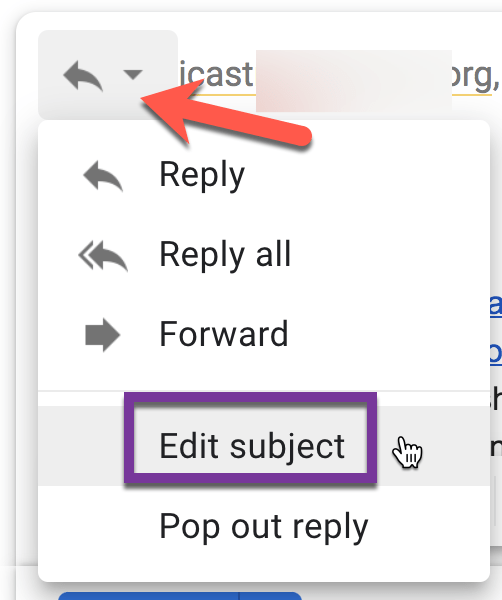
After clicking on Reply notice the tiny arrow next to the reply swoop. This produces a drop down menu that includes “Edit subject.”
Pop Out
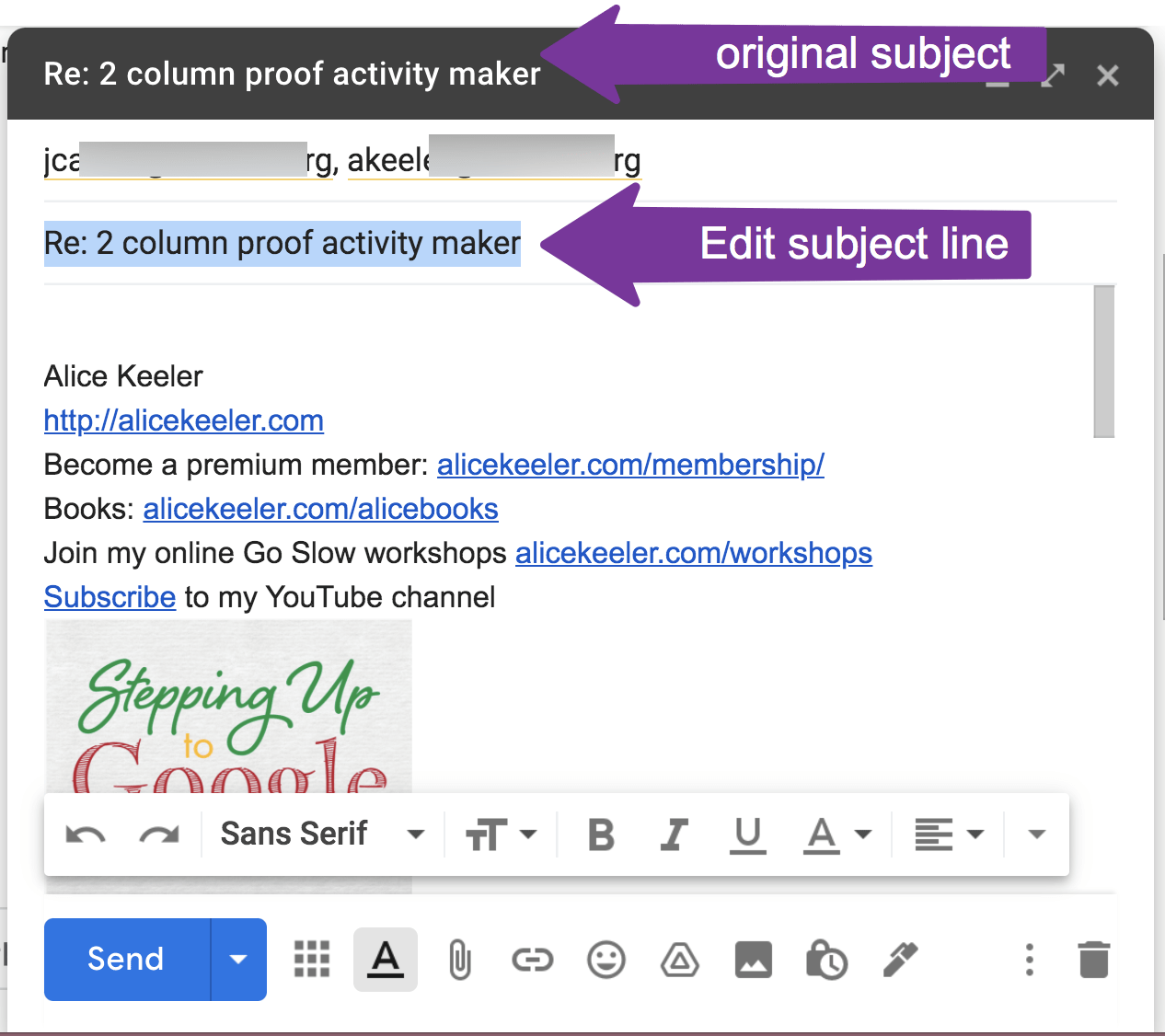
In Gmail this will pop out the email to a new window and highlight the subject line. You do NOT need to press the delete key. The subject is already highlighted, start typing the new subject line. A new subject line creates a new conversation thread so your reply does not get lost in the previous conversation.