





When I got the iPad 1 when it first came out I had obtained a couple of stylus’. The first one had a foam tip and was definitely not more accurate than my finger. I gave it away. I later got a stylus with a rubber tip which I liked a little better but it obviously did not flow smoothly across the screen. People have asked me about stylus’ and I’ve just snubbed the idea as my finger worked just fine.
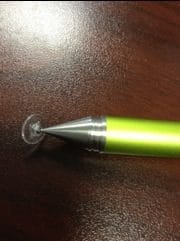
At a #coffeecue in Palo Alto @pronovost showed us a video of the Jot stylus which has a disc on a pivoting head. The video showed that it was able to create a fine and more accurate line in ways the other failed stylus’ couldn’t.
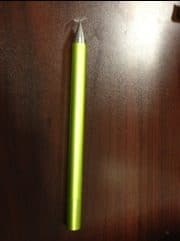
I will have to say I like it a lot. It is a little pricey. I can get the foam or rubber stylus’ on ebay for 2 for a $1 and the Jot is $19.99 on Amazon. But I like it and I declare it worth the money. It is a very nice metal pen, full length. The lid screws on (hint, it is also screwed into the packaging so you have to unscrew it to get it out.) to both the front to protect the nib and to the back for when you are using it so you don’t lose the cap.
I am especially glad to have the Jot stylus for the screen recording apps such as showme and explain everything. And it is fabulous with the penultimate app.
You can find videos on YouTube if you want to see it in action!





