





Create a Default Google Form
The assignment was to answer the multiple choice questions at the end of the chapter. I cringe to think of teachers spending their valuable time grading this. We can’t do everything, so I choose to give up grading things robots can grade. However, it seems unfun to type up the questions at the end of the chapter into a Google Form. Remember the old days of using a Scantron paper with generic A, B, C, D for students to bubble in… let’s do that but with Google Forms.
Generic Questions
Go to http://forms.new and create a multiple choice question that says “Question 1.” In the answer choices select A and the magic of Google Forms will suggest to type in the B, C, D for you as choices.
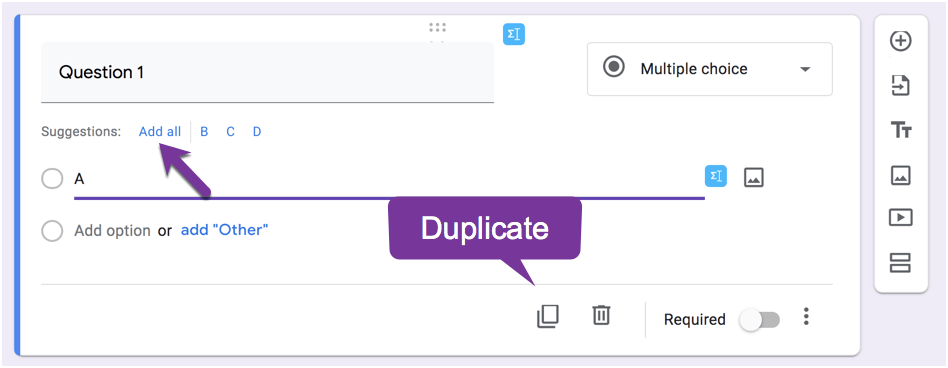
Click on the duplicate the question icon to make question 2.
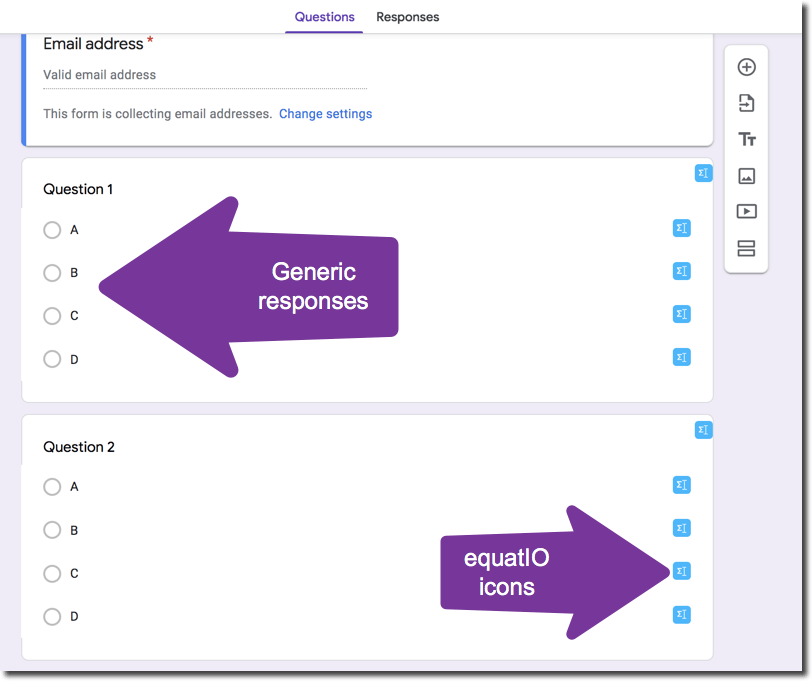
If you’re wondering what the blue icons are, I have the EquatIO Chrome extension installed so I can insert math equations for questions and answers.
Set the Answer Key
It will be faster for you to set the answer key in a Google Form than for you to check the answers for student work. Click on the settings cog at the top to enable quiz features. Set the answer key for each question.
Copy the Form
From the 3 dots menu in Forms “Make a copy” of the generic Google Form and modify the answer key to use for a different assignment.






1 thought on “Make a Generic Google Form”
I use the Multiple Choice Grid question type in forms for this. I set the rows as the question number and the columns as choices A,B,C,D or Other. (I include a “Other” choice in case a question doesn’t have a correct choice or there is a typo in the question that doesn’t yield a correct answer).