





A Twitter chat is usually exactly 1 hour with a structured set of questions. This is a great way to engage with other educators and have a dialog around different topics. I have a guide to participating in a Twitter chat. If you are looking for Twitter chats check out bit.ly/educhatcalendar.
Tweetdeck
I use Tweetdeck to manage my Twitter chats. It is way too hard to use twitter.com or the Twitter app on my phone and keep up with the chat.
Add a Column
In Tweetdeck when you search something, you have the option to create a column. This allows you to easily monitor a hashtag.

More on Tweetdeck
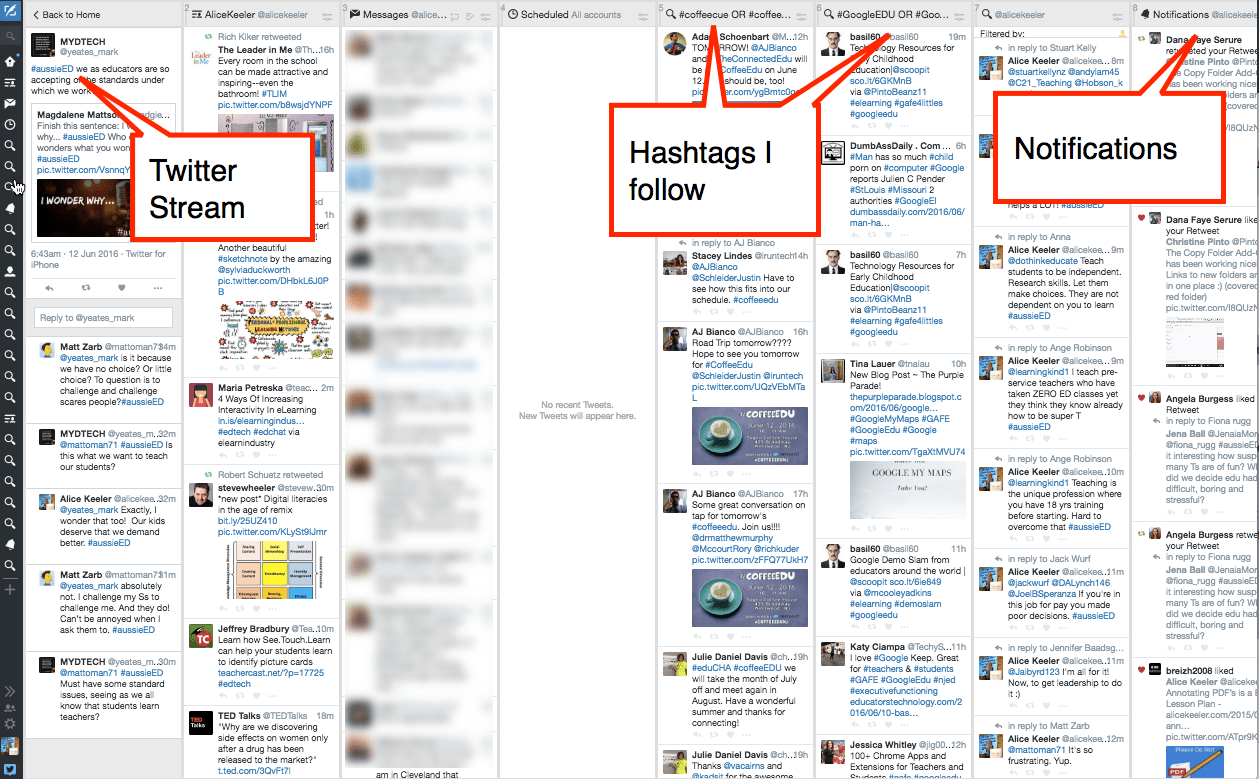
In my Tweetdeck, I have a column for the tweets my tweeps post. A column for a list I created. A column for notifications. I also have a lot of columns for different hashtags I follow.
Twitter Chat Strategy
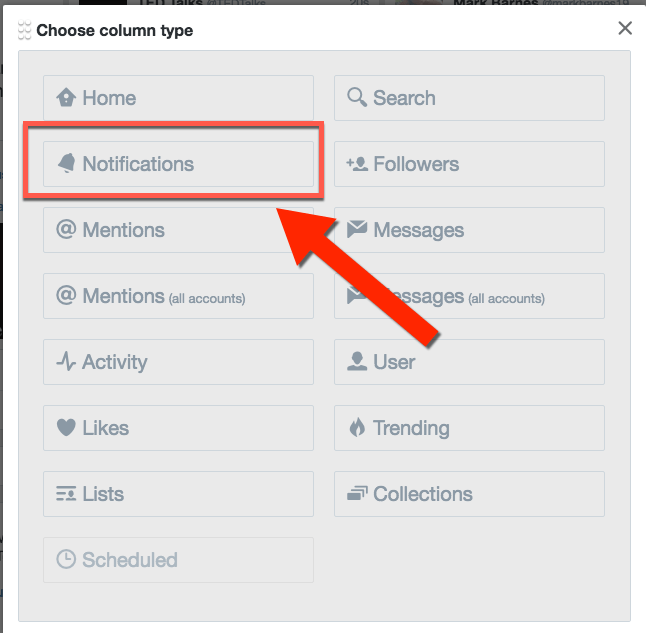
I have TWO columns for notifications. One near the front of my Tweetdeck and one that is always the LAST column. You can add a second notifications column by clicking on the plus icon on the left side toolbar.

Click on “Notifications” to add a second notifications column.
Twitter Chat
When I want to participate in a Twitter chat, I click on the search icon in the toolbar on the left-hand side and type in the hashtag. I then add that column. This puts the chat as the last column in my Tweetdeck.
Since I always have the notifications column as my last column the current Twitter chat I am doing is right next to my notifications. This makes it a lot easier to engage in a conversation with someone during the chat. I notice when someone replies to one of my tweets so I can answer them back.
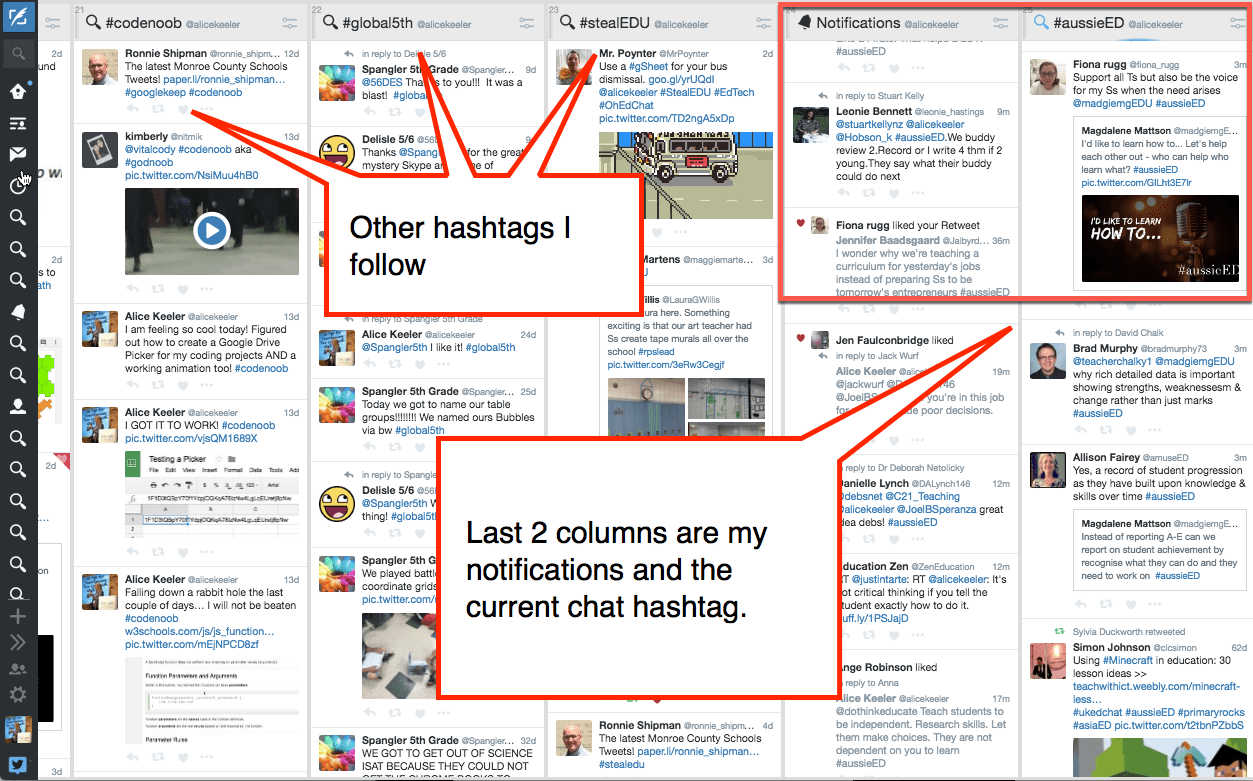
It helps a lot to have your notifications column next to the Twitter chat hashtag column. I used to drag the chat column over to notifications but then realized I could just make an extra notifications column.
Double Hashtags
For hashtags that I follow and are also Twitter chats. Even though I already have a column for that hashtag, I will search the hashtag and add the column so the chat is the LAST column, right next to my notifications.
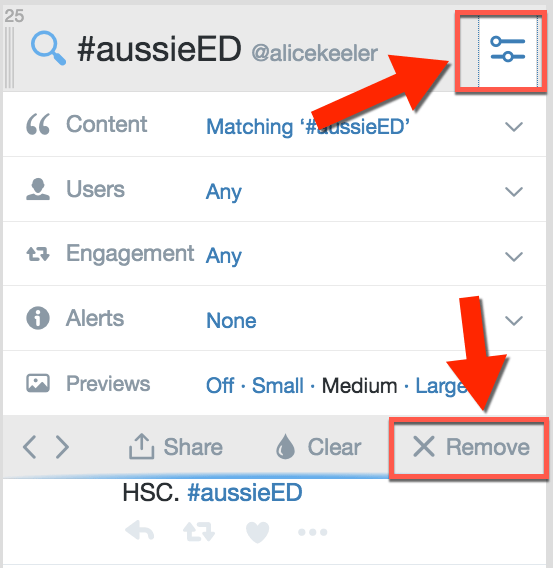
After the chat, I click on the two lines (with a couple of dots) icon in the column header and “Remove” the chat column. I leave my second notifications column at the end. Now I am ready to do my next chat 🙂
If you are new to Twitter you may want to sign up for my Twittervention. This uses Remind to send a daily text message reminding you to check your Twitter. It also provides some Twitter tips.
Twitter Noob: Some Tips to Get Into Twitter
Twitter for Educators – A Document
10 Things to Know about Twitter Hashtags
A List of Twitter Educators by Subject Area (Add yours!)






1 thought on “Twitter Chat Strategy: Put it at the End”
Good tips here Alice. Using Tweetdeck, I create another column for the chat moderator. This helps me easily track down discussion prompts if I miss them. Thanks for creating this terrific learning forum!
Bob