





ReadWorks is a FREE tool for reading comprehension grounded in the science of reading. Get students reading every day with the Article-A-Day feature. No matter what you teach, ReadWorks can be an excellent supplement in your classroom.
This nonprofit platform provides over six thousand research-based passages to help you build the background knowledge and vocabulary students need to succeed. Use the resources digitally, or print them out.
How ReadWorks Helps Readers
ReadWorks improves comprehension by focusing on the two biggest drivers of reading success: background knowledge and vocabulary. When students understand the context of a topic, they can decode challenging words and connect new ideas to what they already know. Here are some of the powerful features that support student growth:
Article-A-Day sets build background knowledge through topically connected passages
The Book of Knowledge provides a low-stakes way for students to document and process new learning
Hand-selected academic vocabulary activities help students internalize challenging new words
StepReads offer professional differentiation by lowering Lexile levels while maintaining core concepts
Human-voice audio models proper reading fluency and supports auditory learners
Strategic question sets push students toward critical thinking and synthesizing information
Leveled content helps students increase their reading stamina and academic confidence
Start a Ten-Minute Daily Routine
The most efficient way to see growth in your students is by implementing the Article-A-Day routine. This ten-minute daily practice focuses on building knowledge systematically rather than just practicing isolated skills. You can select a weekly set of articles centered on a single theme, which ensures that students see the same academic vocabulary in multiple contexts to make the learning stick.
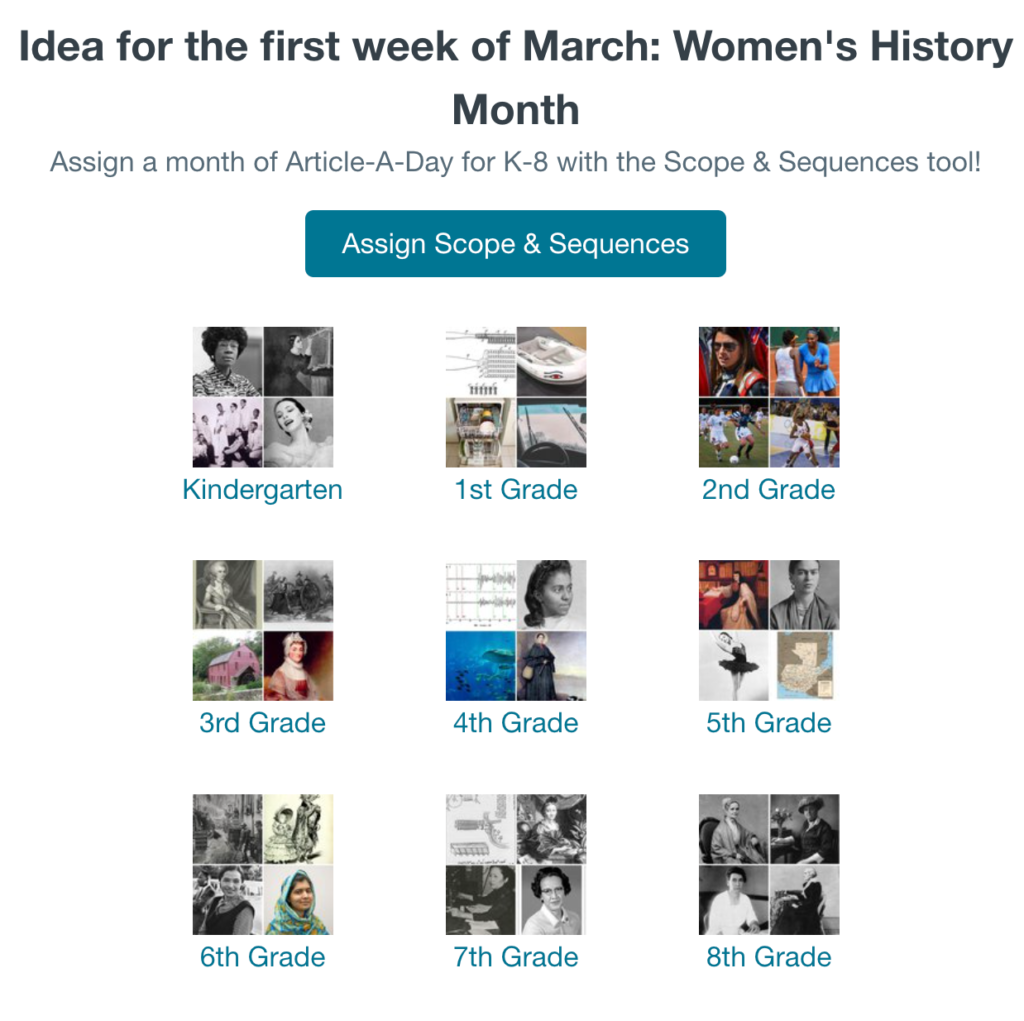
Check out the curated sets for different monthly themes.
Differentiating with Boost and Challenge Articles
You can provide the right level of support for every reader without creating extra work for yourself. When assigning a set, you can choose to include Boost and Challenge articles. Boost articles are written one grade level below the target, while Challenge articles are written one level above. You can instruct students to look for specific icons, like the apple for Boost articles, to self-select the version that provides the best entry point for them while still focusing on the same academic vocabulary.
Assigning Article-A-Day
Setting up your daily routine is incredibly efficient. Once you choose a set, you can push a whole month of content to your students in a single click. This ensures that every morning they log in, a fresh, topically connected article is ready and waiting for them.
Selecting Your Monthly Sets
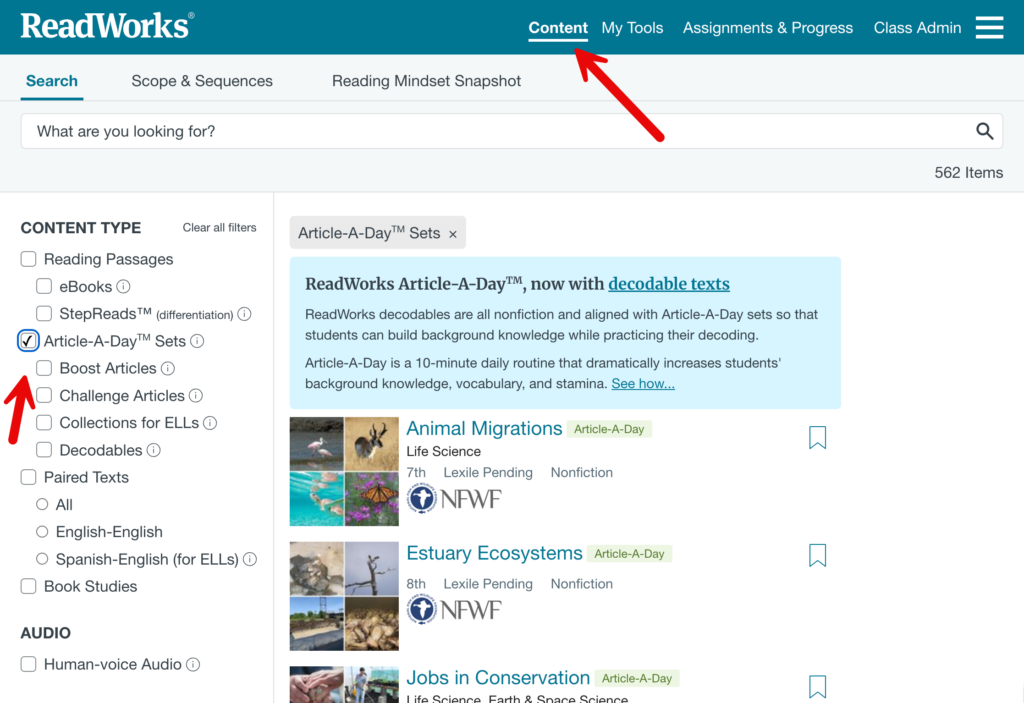
Navigate to the Article-A-Day section under the content tab to browse the scope and sequence for your grade level. You can filter by grade and then select a theme that aligns with your current unit or a monthly celebration. When you select a month’s worth of articles, the platform automatically staggers the start dates for you.
Enabling Scaffolding Tools
When you create the assignment, you have the option to enable several support features. You can include human-voice audio, which models proper reading fluency and supports students who struggle with decoding. You can also turn on vocabulary activities that allow students to interact with hand-selected words before and after reading. These scaffolds ensure that all students can successfully build background knowledge and participate in the end-of-day discussion.
Using the Book of Knowledge
When choosing the assign digitally option, the platform automatically creates a space for students to reflect on their learning. This digital version replaces physical notebooks, making it much easier for you to track and manage student input without managing stacks of paper.
Recording Reflections Digitally
After finishing their daily passage, students are prompted to record two or three interesting facts or takeaways in their digital journal. This low-stakes writing practice helps them process new information and builds their synthesis skills. Because it is digital, students can easily look back at their previous entries to see how much they have learned over the course of a week or a month.
Audience Participator

Collects NO User Data
Make your Google Slides™ more interactive. This Add-on for Google Slides™ will generate a Google Form™ connected to your presentation. When students fill out the form, their responses are sent as slides to the presentation.
Reviewing Student Knowledge Entries
To find what your students have written, navigate to the Assignments and Progress tab and select the specific Article-A-Day assignment. From the class overview, click on an individual student’s name to open their specific work. You will see a dedicated Book of Knowledge tab within their submission that displays every fact they typed for that week. This allows you to quickly check for understanding and monitor their writing progress without flipping through physical pages.
Reviewing Growth Over Time
By reviewing these entries in the student’s assignment report, you can identify which concepts resonated with the class and which might need further clarification. It provides a clear, documented record of their growing background knowledge that you can use for formative assessment. You can even see the date and time of each entry to ensure students are staying consistent with the daily routine.
Differentiating with StepReads
StepReads are one of the most powerful tools in ReadWorks for supporting a diverse classroom. These are professionally modified versions of the main passages that offer a more accessible entry point for students who struggle with decoding or complex sentence structures. By using StepReads, you can ensure that every student in your room is learning the same high-level concepts and vocabulary, regardless of their independent reading level.
Professional Scaffolding Without Compromise
The curriculum team at ReadWorks carefully rewrites the original text to lower the Lexile level, but they intentionally keep the core academic vocabulary and central themes the same. This means your struggling readers aren’t “reading down” to a different topic. They are accessing the exact same grade-level information as their peers, just with more supportive sentence structures. This allows everyone to participate in the same class discussion with confidence.
Assigning StepReads Digitally
When you select a passage to assign, you will see a checkbox to include the StepRead version. You can choose to assign the StepRead to your entire class or only to specific students who need the extra support. On the student dashboard, the interface looks identical for everyone. Students won’t feel singled out because they are receiving a modified text, which protects their dignity while providing the necessary academic scaffolding.
Viewing Student Progress on StepReads
You can track which students are using StepReads by looking at your Assignments and Progress dashboard. The data will show you which version of the text each student completed, along with their comprehension scores. This helps you monitor if a student is ready to transition back to the main grade-level text or if the StepRead is providing the perfect level of productive struggle for their current growth.
Incorporating ReadWorks Into Your Curriculum
ReadWorks is designed to be a flexible supplement that fits into your existing instructional framework. Rather than replacing your current curriculum, it provides the thematic bridges and background knowledge necessary for students to master complex grade-level standards. You can easily find content that aligns with your specific goals by using the Alignments tab on the teacher dashboard.
Primary Grades: Building Foundations
For kindergarten through second grade, the focus is often on the transition from learning to read to reading to learn. You can use the library of nonfiction decodable texts to support your phonics instruction. These passages allow young students to practice specific letter-sound relationships while simultaneously building their first layers of background knowledge. Many primary teachers use the human-voice audio during center rotations to model fluency while students follow along with the highlighted text.
Upper Elementary: Expanding the World
In grades three through five, students begin to encounter more specialized academic vocabulary. You can use Article-A-Day sets to build deep schema for the topics you are covering in other subjects. For example, if you are teaching a unit on ecosystems, you can assign a week-long set of articles about the rainforest or the Great Barrier Reef. This ensures that the vocabulary students encounter in their core curriculum is reinforced through their daily independent reading.
Secondary Education: Versatile Topics and Themes
For middle and high school students, ReadWorks offers high-interest passages that cover a vast range of subjects. No matter what your specific focus is, you can find content that matches your students’ interests and your instructional goals. The platform provides thousands of articles on everything from contemporary social issues and technology to ancient civilizations and literary analysis. This variety makes it easy to find relevant texts that keep older students engaged while they sharpen their reading skills.
Paired Texts for Critical Analysis
Secondary teachers often utilize the Paired Texts feature to meet rigorous standards for analysis and synthesis. You can assign two articles that approach the same topic from different perspectives or time periods. This requires students to identify nuances, compare arguments, and cite evidence from multiple sources to draw their own conclusions. It is an excellent way to prepare students for the level of critical thinking and cross-textual analysis required in college-level work.
Enhancing Literature with Book Studies
To support your English curriculum, ReadWorks offers a Book Studies section. These are curated text sets specifically designed to align with commonly taught classroom novels. While your class reads a core text, you can assign these related passages to provide historical context or explore deeper thematic elements. This helps students make meaningful connections between the literature they are reading and the broader world, all while building the background knowledge necessary for a deeper understanding of the novel.
Aligning with Your Curriculum
If your school uses specific mandated programs like CKLA, EL Education, or Wit and Wisdom, the Alignments page is a massive time-saver. You can find curated lists of ReadWorks passages that are specifically matched to the units and modules within these programs. You can also search for content by Lexile level or subject area to ensure the reading material matches the complexity and content of your current pacing guide.
High Quality Printables for Any Situation
While the digital features are excellent, ReadWorks fully supports the physical classroom. You can generate every passage, question set, and Article-A-Day packet as a printable PDF with one click. These are optimized for paper and include a tracking checklist for students to use throughout the week. This is an incredible resource for substitute plans, as any guest teacher can easily facilitate a high-quality reading lesson using these printed materials without needing technical access.
Add A Date Add-on for Google Slides™

Collects NO User Data
Free Add-on for Google Slides to add the date to slides. This can help make it visible to others when the slides were last updated.
Additional features to add a date slide, adding a custom note to all slides, add a watermark, progress bar, and more.
Empowering Readers through Knowledge
ReadWorks supports readers by removing the barriers that often make literacy instruction feel overwhelming. By focusing on the “science of reading” pillars of background knowledge and vocabulary, the platform gives students the context they need to unlock any text. Whether you are using Article-A-Day to build a consistent routine, StepReads to provide dignified differentiation, or Paired Texts to spark critical thinking, you are providing your students with the tools to become independent, joyful learners.
The true power of ReadWorks lies in its accessibility. Because it is a free, nonprofit resource, it ensures that high-quality literacy instruction is available to every student in every classroom. By integrating these research-backed routines into your daily curriculum, you aren’t just teaching students how to read; you are giving them the knowledge they need to understand the world.





