Google Forms is a data collection tool. As you consider your use of Google tools remember, paperless is not a pedagogy. How does the tool make learning better? Forms is an improvement over paper by allowing us to have data and more quickly respond to student needs.
Created by Alice Keeler, make quizzes with Google Forms™ faster! Setup your Form to have many common settings automatically completed for you. After leaving students feedback in the Form, Quiz Helper will send your feedback to a Google Doc™ for each student.
Additional features are the ability to number your Google Form questions. Set a timer for taking the quiz. Allow students to finish the test later or make updates later.
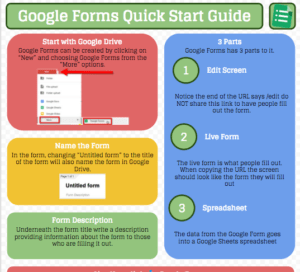
Google Forms allows you to collect information from students. Be it a survey, quiz, or assignment submission. There are so many ways to use Google Forms.
Google Forms are stored in Google Drive. There is no save button, edits are saved automatically. Forms do not work offline. There is no version history for Forms. Find Forms and templates at forms.google.com. This is a filtered view for Google Forms.
Join Alice Keeler for this session for teaching with AI
Imagine having a team of teaching assistants who already know your syllabus and exactly how you like to give feedback. Join Google Certified Innovator Alice Keeler to learn how to use Google Gems to build a powerful collection of custom AI tools. We will explore how to engineer specific instructions so you can create a Grading Assistant or a Classroom Policy Manager that works for you. You will also learn how to leverage Gems shared by other educators to instantly expand your toolkit. This session is about super-powering your teaching by automating the routine tasks so you can focus on the students.
Exit this pop up by pressing escape or clicking anywhere off the pop up.