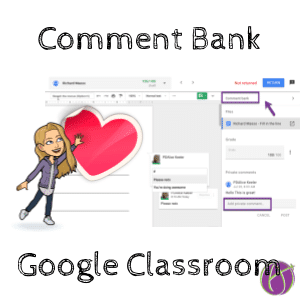
NEW! Google Classroom Comment Bank
Google Classroom Improves Feedback Workflow Yesterday Google Classroom gave a pretty major update to the Google Classroom BETA. Now when you click on student work

Google Classroom Improves Feedback Workflow Yesterday Google Classroom gave a pretty major update to the Google Classroom BETA. Now when you click on student work
Get Students Started with Google Classroom I was helping a friend set up their Google Classroom and created a Google Doc to help the students

Get to the To-do List Faster One of the advantages to using an online platform like Google Classroom is it is faster to review student
I hear Google Classroom frequently referred to as an LMS. The question is…. “Is Google Classroom an LMS?” and “Can I use Google Classroom if
There are many reasons to have more than one teacher assigned to a Google Classroom class. Teachers who teach the same subject or grade level
A teacher I respect and admire, John Sowash, recently posted a blog on “5 Google Classroom Mistakes.” He has some very good points in his
Reply Notifications on Ask a Question I am mostly a fan of the ask a question feature in Google Classroom. I really wish responses were
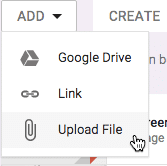
When students are doing work digitally they do not always use Google Docs. When students are using other websites to study, do research, practice, create
It is now significantly easier to utilize Google Forms in Google Classroom. Simply attach a Form using the Google Drive attachment option when making a
When assigning students projects that have a rubric, I recommend having students self-evaluate against the rubric. This helps students to make sure they have addressed
View All Assignments in a Topic Google Classroom is designed to be organized by topic. When you click on the Classwork tab the assignments are
Add Topics to Google Classroom Google Classroom has some new updates for Fall 2016. You can now add topics to a Google Classroom post and
One thing I love about Google Classroom is it’s simplicity. Almost any teacher can be up and running with a blended classroom in 30 minutes.
One of the things I love being able to do with Google Slides is have all students in the class collaborate on a single Slides
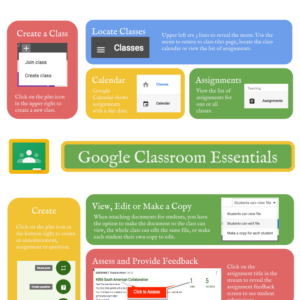
Google Classroom Infographic This Google Classroom essentials infographic shows some of the key items in Google Classroom. There is a lot more features this does
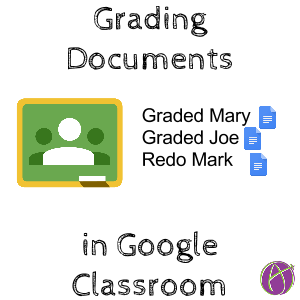
Should we grade alphabetically? I say no. Created by Alice Keeler this Add-on helps you to grade student work from a folder in Google Drive.
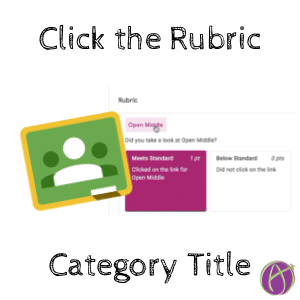
Expand the Rubric to Read Description I want LESS mouse clicks and LESS mouse dragging. I was feeling really annoyed that to read the rubric
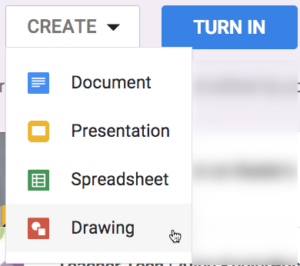
Sometimes I attach blank Google Docs to my Google Classroom assignments to help get my students started. However, students can create a Google Doc right

Use Google Classroom to Interact What is awesome about Google Classroom is how fast it is to get up and running. You can create a
We do everything possible to fill up the tanks of our students, I wish that every eye who sees this post will also be fueled up with support, as well. You are important and what you do matters every day. Thank YOU for ALL you do.
Include Reflection Questions for Parents Typically when I create an assignment I create it for my students. My students know how the class is run
How to export your google classroom rubrics by Alice Keeler. Expert on Classroom and Google Sheets, Alice shows you how to export and share your rubrics from Google Classroom.

Back when I had only had a list of 35 ways to use Google Classroom I submitted a poster session proposal to ISTE. Since then

Google Classroom has been updated. Some of the information in this post concerning co-teachers and draft assignments in Google Classroom is still true! However, the
I was asked on Twitter what the very first activity 6th graders might do when introducing Google Classroom. There is no “right” answer to this

Exclude assignments from reporting in Google Classroom. You want to have more control over what gets reported to guardians and other stakeholders. Decide what to exclude from the progress report.

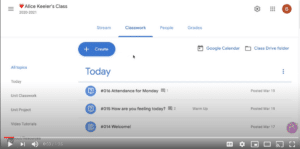
Every day I add a question to Google Classroom asking students to indicate their attendance. Create Question Google Classroom is designed to be organized on

Are you measuring engagement or compliance? Either way, what information can we get from Google Classroom to help us better engage students.

When students are in a breakout room you may want to have each group have a Google Slides for them to organize their conversations and

I have been 1:1 almost my entire teaching career. One of my go to’s is to have students take screenshots and submit them. This not only holds students accountable for what they have been working on during the period it helps me to provide help and feedback if students need it. submit a screenshot






