
IT IS BACK! Drive20 to Save Time Grading Student Work
I like to say to only assign individual student documents 20% of the time or less. It is SO time consuming to open each students

I like to say to only assign individual student documents 20% of the time or less. It is SO time consuming to open each students
Go Back to The Instructions Private Comments in Google Classroom have become my priority. It’s an opportunity to give students individual and specific attention and
Share the Survey I’m looking for some quotes from students who used Google Classroom. If you have a child or some students who can fill

Use Drive20 to Open 20 Google Docs All at Once What is good and bad about Google is they are always making changes. I like
Finally! Schedule to Multiple Classes in Google Classroom. Set the time and date for each section to appear in your Google Classroom as you post assignments.
Libbi Miller and I are finishing up the follow-up book to “50 Things You Can Do With Google Classroom.” Neither book is a step by step

Switch From Suggesting Edits to Editing In Google Classroom, if you open a student document from Classroom it opens in the Feedback tool. For Google
When assigning work to small groups of students instead of the whole class the trick is to include the audience in the description or document
Bring Current Events to Your Students with Newsela Newsela brings current events into your classroom. Newsela takes current news articles and changes the readability based on
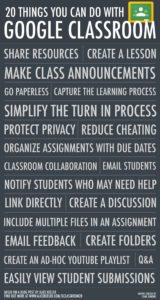
Google Classroom Google Classroom (http://classroom.google.com) is available to schools with a Google Apps for Education (GAfE) domain. Classroom is a way to get all of

I have been 1:1 almost my entire teaching career. One of my go to’s is to have students take screenshots and submit them. This not only holds students accountable for what they have been working on during the period it helps me to provide help and feedback if students need it. submit a screenshot
Star Documents in Your Google Drive Is your Google Drive a mess? Now that we have students doing digital work it gets extra muddy as
I received a tweet from a teacher wanting to have his students create writing journals and then submit them through Classroom. Here is a suggestion

Google Classroom Header for Beta Classes Google Classroom is coming out with a new interface for the Fall (that is all you get on dates.)

Set up the Stream in Google Classroom The classic design of Google Classroom was a single Stream with all of the student assignments. For some,
Use the Google Classroom class code to allow students to join the Google Classroom class. Class Header The class code is located in the class
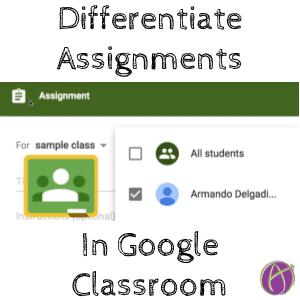
Differentiate Assignments with Google Classroom A new feature makes it easier to assign different things to different students. This allows you to provide challenges for
? Emoji Your Drive ? Guest blog post by Beth Mossholder Make your Google Drive a little more interesting with Emojis. Color coding can work out
Google has updated how assignments and announcements are added to Google Classroom. They have also added a new feature that allows the teacher to ask

For Google Classroom you can bulk send missing assignments using Schoolytics.com. This is free for teachers and a huge time saver!
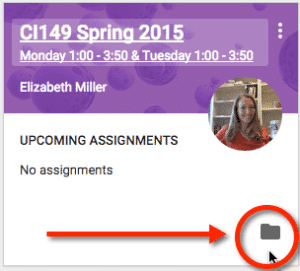
Google Classroom requires that I use my Google Apps domain. This is also true for my students. I usually am logged into my personal
There are many reasons to have more than one teacher assigned to a Google Classroom class. Teachers who teach the same subject or grade level

Google Classroom Will Be Different For the Fall As always G Suite is adding features and updating interfaces. Some pretty big changes are coming to
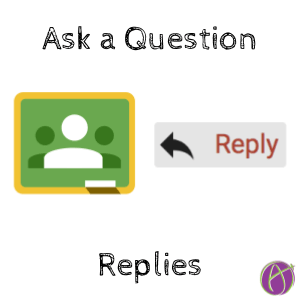
Reply Notifications on Ask a Question I am mostly a fan of the ask a question feature in Google Classroom. I really wish responses were

Randomly Choose a Student in Class Google Classroom has added a “Student selector” to the Classroom Android app. This is essentially a “popsicle sticks” app
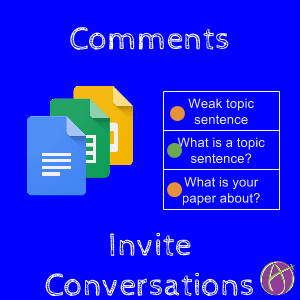
Move Beyond MarkUp It is well known that I abhor writing on PDF’s. It is not that engaging of an activity and it is not
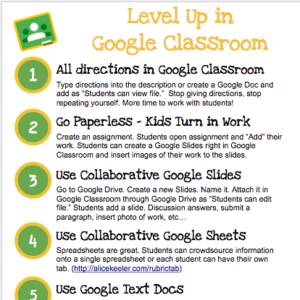
Please feel free to use this poster with students or to train teachers. Please do not publish it to your blogs or public sites or
Create free response questions in Google Slides instead of Google Forms.

Email Guardians a Summary of Student Work Google Classroom now allows you to send the individual student report to guardians. Individual Student View To access
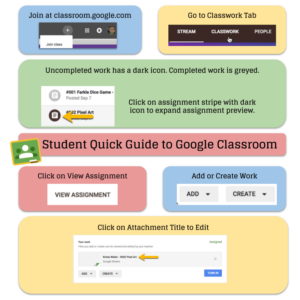
Student Quick Guide to Google Classroom To get students quickly into Google Classroom Have them go to http://classroom.google.com You click on the settings cog at






