5 Features to Try in Google Docs
New features for Google Docs, Sheets, Slides, and Forms. Google is always coming out with new things to help you with teaching and learning. Check out the 5 new features for September 2023.


New features for Google Docs, Sheets, Slides, and Forms. Google is always coming out with new things to help you with teaching and learning. Check out the 5 new features for September 2023.
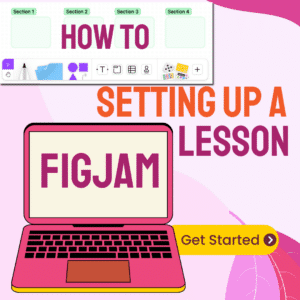
Want to make an interactive lesson with your students? Use FigJam! Setting up a lesson in FigJam is easy. Here are some tips for getting started.

How to create a new Google Jamboard. Did you know that a Google Jamboard is a whiteboard that is also a Google Document. This means it can be created from Google Drive.

Using a Chromebook is more than just accessing the internet. To get the most out of the technology you need to pair the purchase with the right pedagogy. Here are 10 Tips for Teaching Effectively with a Lenovo Flex 5i Chromebook #LenovoChromebooks

Mixing digital and non digital elements into a lesson plan can be difficult. Organize your blended lesson with FigJam.
FigJam is a collaborative digital whiteboard. Explore 10 lesser-known hidden FigJam whiteboard gems.

Enhance classroom engagement with FigJam! Seamlessly integrate multimedia, organize lessons, and foster collaboration all in one versatile tool. Make FigJam your new jam for dynamic teaching.

Google Jamboard is another awesome collaboration tool with so many great features! Check out these 5 things you can do in Google Jamboard.

Tips for Effective Group Work includes strategies for structuring collaboration, assigning roles, and using tech tools.

Create a fun activity for students. Create scratchers in FigJam. It is FREE! Have students slow reveal their choices.
High Five in FigJam is going to be your new favorite way to collaborate. FigJam is a FREE digital whiteboarding tool
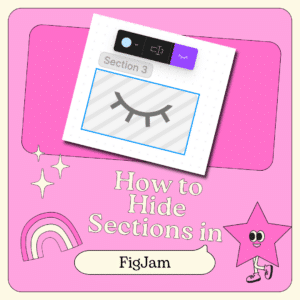
I have replaced Google Jamboard with FigJam. It is a better collaborative digital whiteboard. One of the big differences between Google Jamboard and FigJam is the lack of pages. Instead of pages, FigJam has sections. A unique feature is to be able to hide the sections until you are ready for students to use the resources in the section.


Jamboard is an amazing tool for collaborative digital whiteboarding by Google. Its ability to enable students to learn together, whether they—or their teachers—are in person or remote, working at the same time or asynchronously, tremendously improves student engagement and learning. Alice Keeler has many resources for teachers on how to use Google Jamboard effectively for student centered teaching.
Jamboard is Google’s version of a digital whiteboard. It is a Google document like Docs, Sheets, and Slides. It can be created and shared in Google Drive. Like all Google documents it is collaborative.
Jamboard is a collaborative Google document that is intended to be used as a digital whiteboard. Jams allow for handwriting and collaborating on the document. Students and educators can use it together to sketch out their thinking, share ideas, add images, and draw, all from the ease of their own devices. Most importantly, all of this can – and should – be done collaboratively in Jamboard.
A Jam is a free file type created for Jamboard. You do not need a Jamboard Kiosk to create and use Jams.

Purchase on Amazon or Barnes & Noble
In this book, Alice Keeler and Kimberly Mattina have put together a comprehensive guide for teachers using Google Jamboard in your classroom, covering everything from the basics of how to navigate the tool to lessons and activities you can use today to important pedagogical consider-ations to help you know when and how to use it.
Each of the 90+ teaching ideas here comes with at least one sample Jam that you can use to help guide you and your students toward greater proficiency with Jamboard—and as the basis for your lessons.
This playlist is a great resource of videos where Alice explores the App and how it can be used by teachers and students.
Google Meet now integrates Jamboard Whiteboards. This webinar takes a look at how to use Jamboard and suggestions for using it with students in a video meeting.
In this webinar Alice shares how you can use Google Jamboard when you are teaching students and want to have a class discussion.
Jamboard can make a great platform for playing games. In this webinar Alice looks at some tips for successfully creating a game out of a Jam.
Version history is now in Google Jamboard. In this webinar Alice talks about version history and how it is similar and different than other Google Apps.
Google is discontinuing Jamboard. GOOD NEWS! It is super EASY to convert your files into FigJam. Sign up for a FREE educator account at figma.com/education. Go to figma.com to import your Jamboards Jams. Check out my converted files at figma.com/@alicekeeler.
