

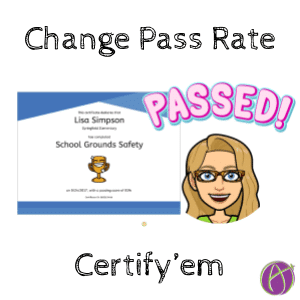




I love using Certify’em!! This is an easy way for students to demonstrate mastery from Google Forms.
Certify’em is a tool that lets you send a certificate when someone passes a quiz in a Google Form. Use it to reward and excite students or train faculty and staff. It’s super easy to use and has fully illustrated instructions here.
Forms Add-on Puzzle Piece
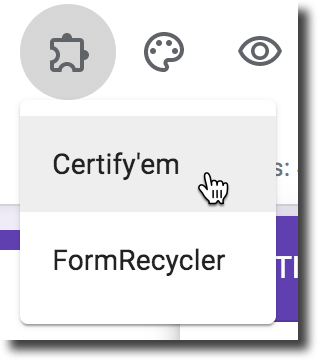
After installing an Add-on you can access the Add-on’s by going to the puzzle piece in the upper right of Google Forms.
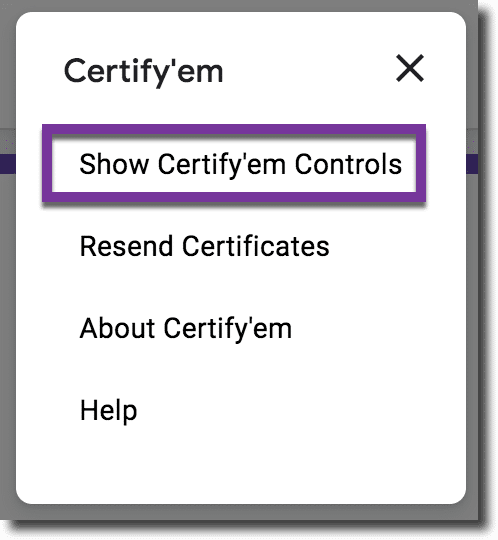
Select “Show Certify’em Controls.”
Want More Help with This? Become a Premium Member
Change the Passing Percentage
If you need to set or change the passing percentage, just open the Google Form where you’re already using Certify’em and choose “Certify’em” from the Add-ons menu. Then click “Show Certify’em Controls”. The controls will pop-up and look like the picture shown.
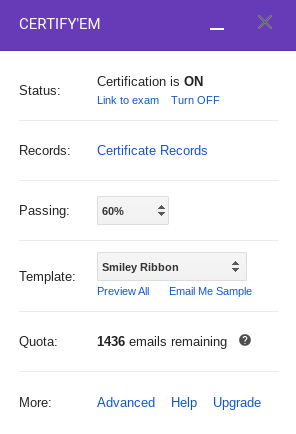
Use Drop Down
To change the passing percentage, just click the drop-down menu next to “Passing” and select a percentage. Certify’em will immediately save your changes and you’ll be good to go!





