





The voice typing in Google Doc and Slides is truly amazing! The accuracy and ease of voice typing in Docs and Slides helps students to focus on their ideas rather than their ability to type. Both Google Docs and Google Slides have the capability to use the tools menu to add ideas via voice.
Use Voice Typing in Google Docs and Slides
Assign students to recall everything they can think of about a topic, but use the voice typing feature in Google Docs. This helps them to quickly get a list of what they can remember without letting technology get in the way.
Tools Menu
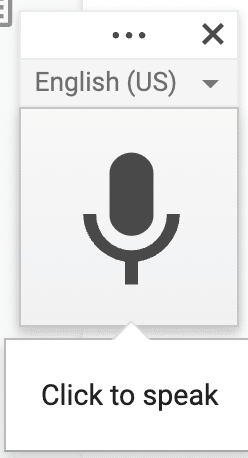
In both Docs and Slides you can use the Tools menu to access voice typing. This will activate the capability. A floating control will appear, allowing you to toggle the voice typing on and off.
Control Shift S
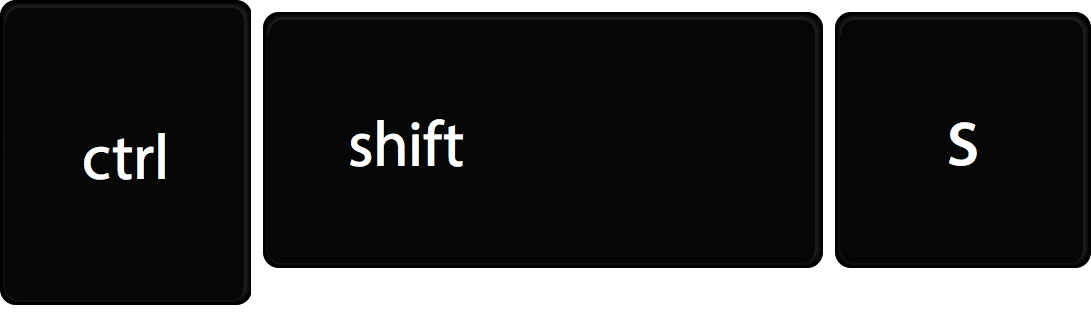
Use the keyboard shortcut Control Shift S to activate voice typing.
Google Slides Speaker Notes
Note that you can only voice type in the speaker notes of Google Slides, not on the slide itself.
Speaker Notes Add-on
I have created an Add-on for Google Slides that allows you to turn the speaker notes of the Google Slides into a Google Doc. After adding voice typing to the speaker notes in Google Slides, use the Speaker Notes Add-on to quickly convert them into a Google Doc.
-

Create an MCP Server for Google Classroom With Google Apps Script
-
Ask for Resources in Gemini Notebook
-
Flex Page Size in Canva
-

Book Creator joins forces with Kami






2 thoughts on “Voice Typing in Google Docs and Google Slides”
Does it work in comments yet?
No