





Using a spreadsheet is a life skill. In the real world, successful people use spreadsheets. I have created a Google Doc with 4 essential skills that if students can do just these 4 things they can use spreadsheets for assignments. Provide this guide to students along with the directions to “Use a spreadsheet.”
Link to Document
Want More Help with This? Become a Premium Member
4 Basic Skills
You do NOT need to use a spreadsheet to do any math. It is a giant table!! What can you not put in a spreadsheet… okay I wouldn’t recommend an essay or a poster. Students should be able to adjust the width of a column to accommodate long sentences. Word wrap is essential. Keeping the text from a cell within a particular cell is incredibly helpful. Making a giant answer box is nice for you to be able to see the student’s work. It is also nice for writing longer pieces of text. Spreadsheets allow for multiple sheets. Helping students to know about the tabs at the bottom of the spreadsheet increases their spreadsheet proficiency.
Yes, there are lots of other cool things you can do with a spreadsheet, but if students know these 4 they are good to go. Can add other ones later!
Make a List
In one column students can create a numbered list. (There is a trick for doing this fast, but that is for another time.) In the next column write the answer to whatever that question might be.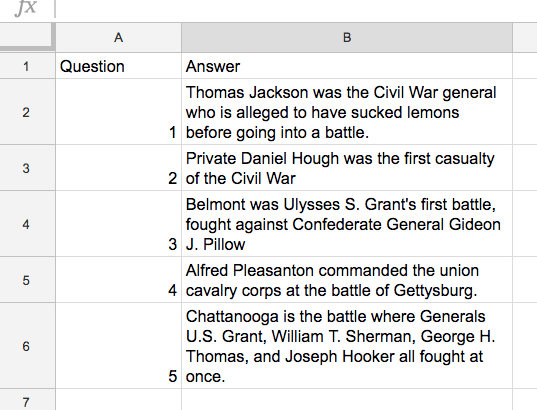
The cool thing is there is an empty cell right next to it that makes feedback and redo’s easy.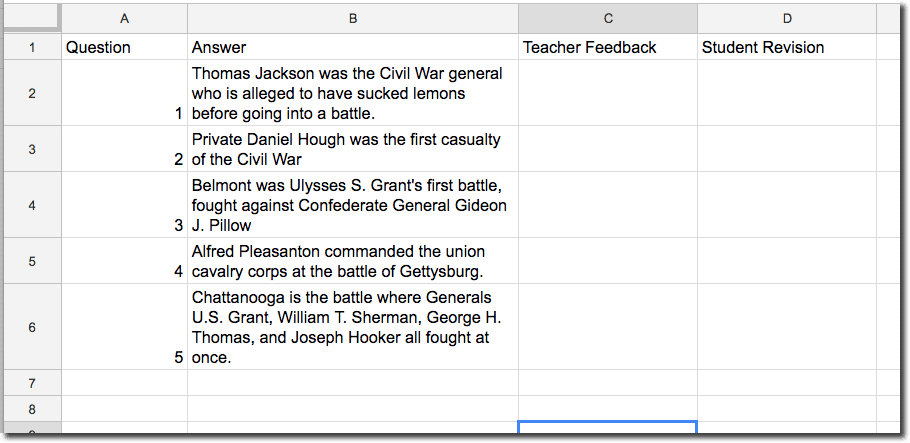
Note: Animated GIF’s were created using Snagit.






2 thoughts on “A Student’s Guide to Using Google Sheets”
this is actually pretty cool not gonna lie
Thank you!