

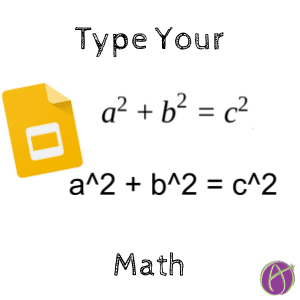




Type Your Math
As a math teacher I was 1:1 almost my entire teaching career. I try to be consistent that even when writing on the board or on paper that I would write out what the math would look like typed linearly. I asked the students to always write the linear version in addition to the pretty print on their paper. This made it easy for students to type their math answers into various websites, they were used to expressing it that way anyway. This also helps students transition to using spreadsheets to demonstrate their math.
Spreadsheets and Calculators
Using my TI-89 calculator I needed to input my math in linear form. Spreadsheets require linear expressions. I used formats that students might see in spreadsheet or calculator. Writing linearly requires students to use parenthesis which can help them to understand how things are grouped together.
- sqrt(5)
- 7/(x-4)
- f(x) = 3x^4 – 7x^3 + 2x^2 – x + 1
g(math)
The Add-on g(math) for Google Docs, Forms and Sheets has students express their expressions linearly. They can insert the expressions, functions, and graphs in pretty print form but they first express them linearly.





