



How to Make a Perfect Circle in Jamboard

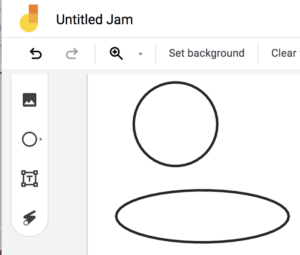
If you click and drag with the shape tool on Jamboard you'll end up with an ellipse. Here is how to make a perfect circle on your Jam instead.
make a circle vs ellipse in Google Jamboard by just tapping rather than tap and drag
How to Make a Perfect Circle in Jamboard

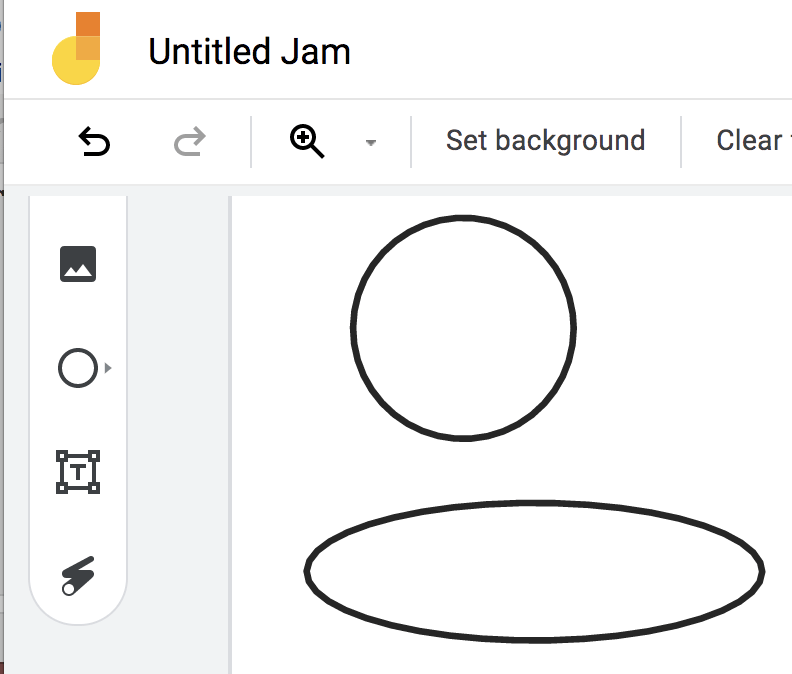
Today my lesson involved circles so I wanted the student to model their math with circles not ellipses. Google Jamboard is a great tool for students to show their learning. ( Ex: Google Jamboard: Using Open Middle Math Problems ) The problem is, when you use the shape tool on Jamboard and click and drag you’ll end up with an ellipse. Here is the trick for how to make a perfect circle in Jamboard instead.
Find more Jamboard ideas.

make a circle vs ellipse in Google Jamboard by just tapping rather than tap and drag

How to make a perfect circle in Google Jamboard rather than an ellipse.

  • Single Click

    The trick to making a perfect circle in Jamboard is to just click. Select the shapes tool and circle and then tap on the frame.

  • Resize

    When you tap a circle is created, but Jamboard makes it in a default size. Use the resizing handles in the bottom right corner to make larger or smaller while maintaining the proportions. In other words, to avoid stretching out the circle.

  • Change the Color

    Having selected the circle you created, use the fill tools in the horizontal toolbar at the top of the frame.

Tip: make the perfect circle transparent so you can use it to circle things in Jamboard 🙂

Convert Your Google Jamboard Jams to FigJam

Google is discontinuing Jamboard. GOOD NEWS! It is super EASY to convert your files into FigJam. Sign up for a FREE educator account at figma.com/education. Go to figma.com to import your Jamboards Jams. Check out my converted files at figma.com/@alicekeeler.


Leave a Comment

© 2026 All Rights Reserved.

Get effective EdTech strategies from Alice Keeler to build a more student centered classroom. Includes unique resources and templates.

Recent Teacher Tech Blog Posts

💥 FREE OTIS WORKSHOP

Join Alice Keeler, Thursday April 28th or register to gain access to the recording.
Create a free OTIS account.

Join Alice Keeler for this session for teaching with AI

Imagine having a team of teaching assistants who already know your syllabus and exactly how you like to give feedback. Join Google Certified Innovator Alice Keeler to learn how to use Google Gems to build a powerful collection of custom AI tools. We will explore how to engineer specific instructions so you can create a Grading Assistant or a Classroom Policy Manager that works for you. You will also learn how to leverage Gems shared by other educators to instantly expand your toolkit. This session is about super-powering your teaching by automating the routine tasks so you can focus on the students.

Exit this pop up by pressing escape or clicking anywhere off the pop up.