

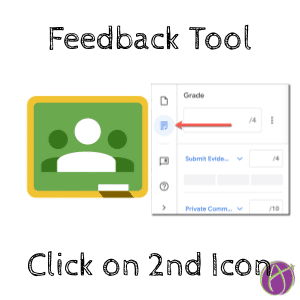





Use the 2nd Icon in the Feedback Tool
In Google Classroom when you click on student work in an assignment it opens in the feedback tool.
Sidebar
The sidebar has 3 icons on the edge. The default is the files icon. This is where you can see what files students have submitted. There is also a pop out icon on the file stripe if you want to exit the feedback tool.

Feedback Icon
The 2nd icon is where you can assess on a rubric you have included with the assignment and leave Private Comments.
Click on the 2nd icon

Most of the time there is only one file with a student assignment. Immediately click on the 2nd icon so leave Private Comment feedback while you review the student document in the main pane.
If there is more than one file, the 1st icon will include a count of how many files there are.
Comment Bank
The 3rd icon lets you build a comment bank for when you insert comments to the side of the document.






2 thoughts on “Google Classroom: Click on the 2nd Icon”
Hello Alice, I’m looking for an add on you’ve created a few years ago. The app makes a google photo slideshow from pictures saved in a google drive file. I’d like to use it again but can’t find it. I will be happ to recievea ny other recommendations for this issue. Thanks.
Unfortunately Google is requiring a review of add ons and chrome extensions. So this is not working. I don’t plan on paying someone to do the review process which may be $15000.