





Many of us are ramping up to go back to school. We are ready to get Back to Classroom. Use the hashtag #BACKTOCLASSROOM to share your Google Classroom tips to help teachers ramp back up. Join the Facebook group Back to Classroom to ask questions and find resources around using tools that work well with Google Classroom.
Back to Classroom Sessions
We will be creating live Streamyard sessions. Add the calendar by clicking on the “+Google Calendar” icon in the bottom right.
What Tools Work Well with Google Classroom
In addition to Google Classroom tips, Back to Clasroom wants to help you with tools that work well with Google Classroom. Personally, I am much more prone to use tools that I can 1) sign in with my Google account and 2) I can use with Google Classroom to make things easier for me.
Quizizz
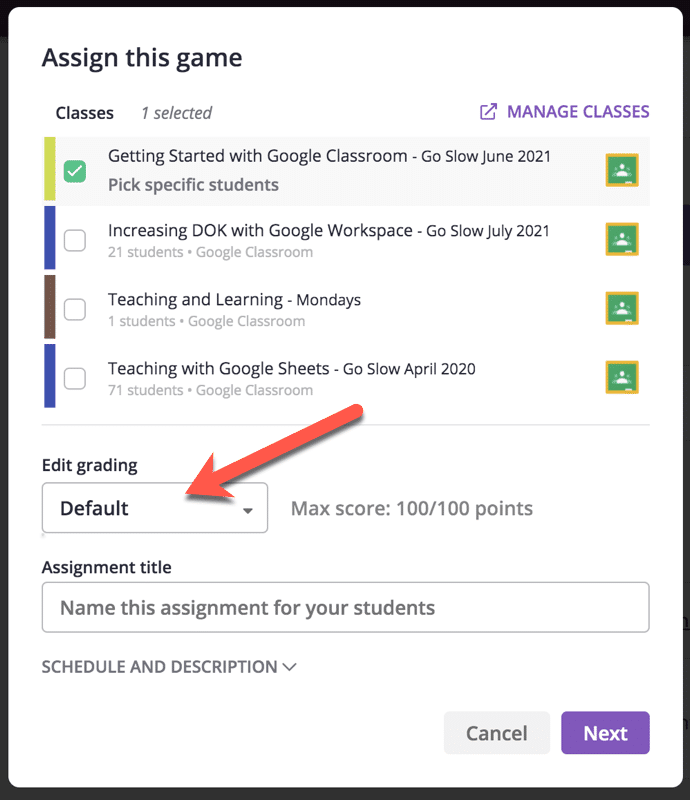
I have said it for years, Quizizz has the BEST Google Classroom integration. Quizizz provides gamified quizzing options. No need to recreate the wheel, anything you teach already has 25,000 possible quizzes. Reuse or adapt one already made. And now it is even BETTER! When assigning to a class you can change the default points from 100 to whatever score you want!
Schoolytics.com
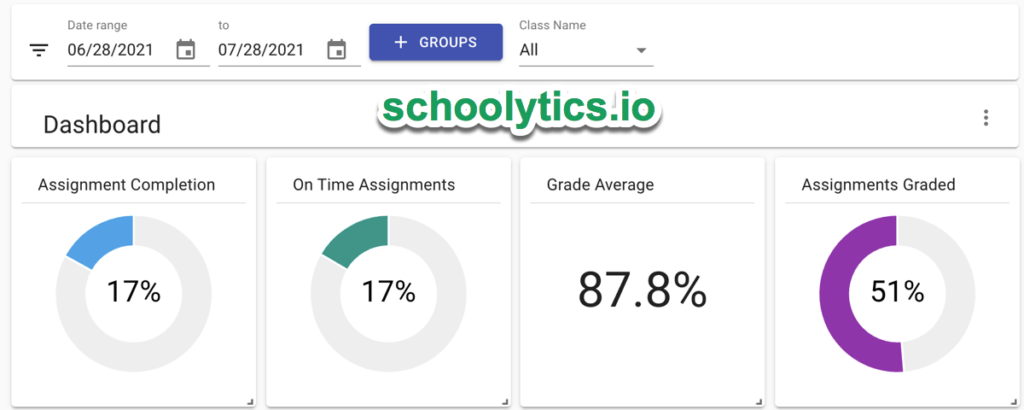
I love Google Classroom but it can be frustrating sometimes to get the information you need. Schoolytics helps you by providing you with better Google Classroom data, progress reports, and easier ways to reuse assignments. I loved Schoolytics so much I asked them for a job. (This year, part time, I will be coding for Schoolytics. I am also part time teaching high school Geometry.)
Mote
I am in love with Mote!! Making connections with students is incredibly important. Mote allows me to leave voice comments to students anywhere I can type text. I used the Mote Chrome extension to super easy create a voice note. The link was automatically copied to my clipboard: https://mote.fyi/s36s3s7 Tip: Say the students name multiple times when leaving feedback. This is a great way to personalize the feedback and make connections with students. Get 3 months free if you use mote.com/alice (I do NOT get anything from this. I just like to pass along discounts)

Pear Deck
I used Pear Deck a lot last year! Instead of talking AT students let’s talk WITH students. Make your Google Slides interactive! It is so easy! Free: Install the Pear Deck Add-on for Google Slides.
What Are Your Favorite Tools?
Those are just a few of my favorite tools, I have many others. I will be sharing about them on the Facebook group (www.backtoclassroom.org). Please join the conversation and share your favorites as well.





