






Google Classroom: Find Classes Faster
The class tiles are fixed in the order you created them. I have 2 hacks for helping you to locate your classes faster.
1) Number Classes
My best tip for assignments is to number them with a hashtag and 3 digit number. Try this also with your classes. You can rename your existing classes by clicking on the 3 dots icon in the upper right of the class tile.
#001 Algebra period 1
#002 Algebra period 2
#003 Geometry period 4

Control F
The keyboard shortcut for finding things on a webpage is Control F (Command F on a Mac).
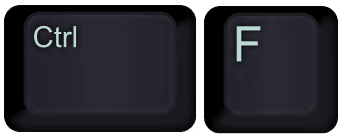
Find Classes
Find your classes quickly by using Control F and typing the class number. This should jump you to that class so you can select it.

2) Unique URL
Each class has a unique URL. Open the class and notice the class ID at the end of the URL. Bookmarking a class when it’s open can help you get back to that class quickly. You can create a bookmark by clicking on the star icon in the address bar.
Unlike the class tiles page, bookmarks can be reordered. Bookmark your active classes and use the bookmark menu to navigate to the desired class. I created a “Google Classroom” folder in bookmarks and added each class bookmark to that folder.

Reorder classes Google Classroom
Reorder classes Google Classroom






1 thought on “Google Classroom: Find Classes Faster”
Brilliant. Thank you!