




Google Classroom: Submitting Late Work

Submitting Late Work

When students submit work in Google Classroom a notification is not created. This can be an issue when work is submitted late or when students make updates to their work that need to be commented on.

Leave a Private Comment

I encourage you to have a classroom policy that when work is submitted late, or needs commenting, that students are required to leave a private comment in Google Classroom.
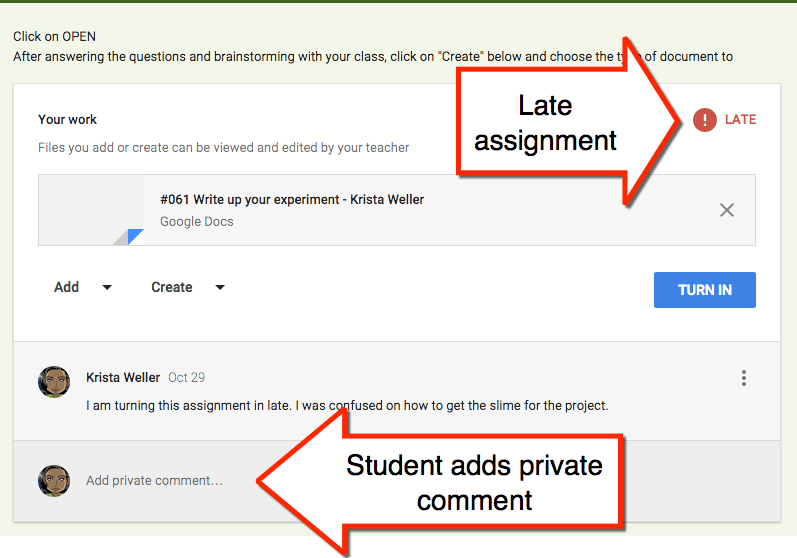
Private comment

Emails Teacher

When a private comment is left in a Google Classroom assignment the teacher automatically receives an email notification. The teacher can view the private comment right in the email. The email also contains a direct link to the assignment. The link in the email makes it easy for the teacher to locate the assignment needing to be assessed.
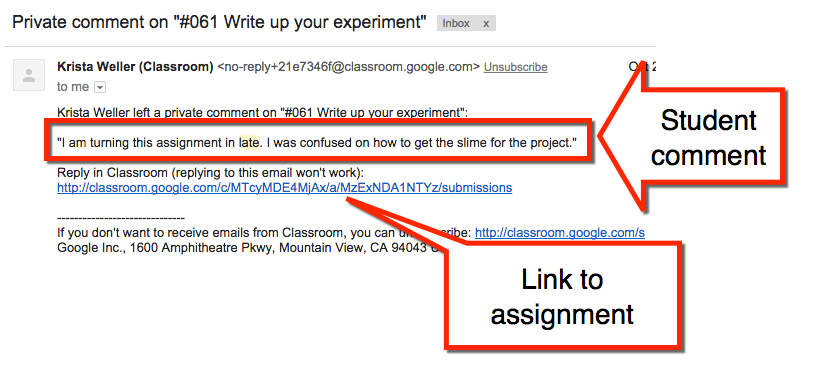
Email notification

iPad

@MrOrtlinghaus on Twitter shared his directions for doing this on an iPad.
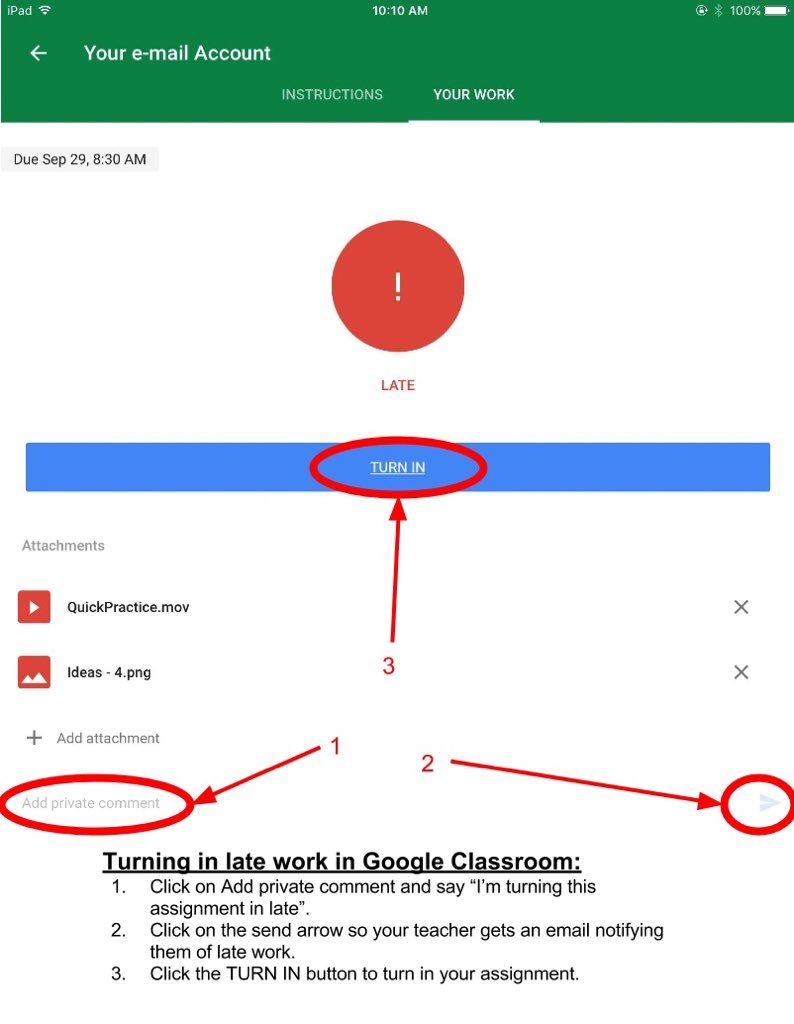
mrortlinghaus

Leave a Comment

© 2026 All Rights Reserved.

💥 FREE OTIS WORKSHOP

Join Alice Keeler, Thursday April 15th or register to gain access to the recording.
Create a free OTIS account.

Join Alice Keeler for this session for teaching with AI

Unlock a smarter way to manage your curriculum by turning your own teaching materials into a personalized AI assistant with NotebookLM. This session explores how to transform static documents into interactive study guides and audio overviews that are tailored strictly to your specific content. You will discover how this versatile note-taking tool can streamline your prep time and help you organize complex resources with ease. Join us to see how NotebookLM can act as a powerful, free partner in your K-12 classroom.

Exit this pop up by pressing escape or clicking anywhere off the pop up.





