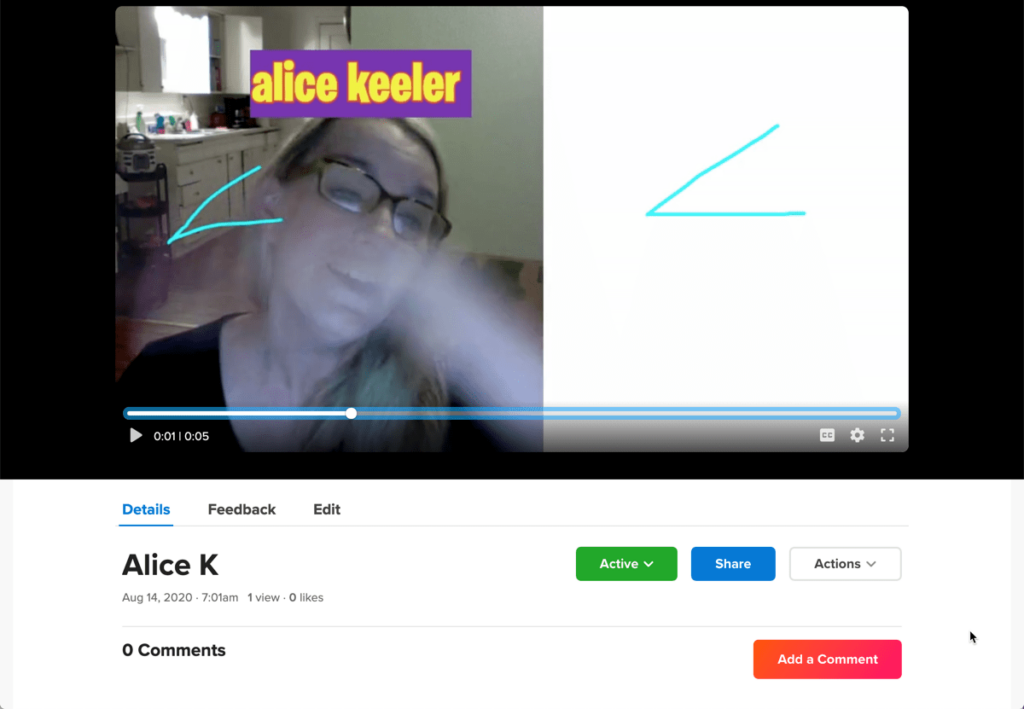




Flipgrid has added some amazing new features! I am most excited about the new split screen option when recording a response.
Video Assessment
As a math teacher, show your work is obsolete. Photomath will do that! I want “Show your thinking.” “Demonstrate mathematical reasoning.” “Explain your answer.” I can use Flipgrid to assess students understanding of a concept and hear them explain their reasoning.
Create a Group
Flipgrid has changed the interface and some of the terminology. You now create a GROUP instead of a Grid. If I am wanting to create an assessment say for Unit 1 I would create a “Unit 1 Assessment” group.
Add Topics
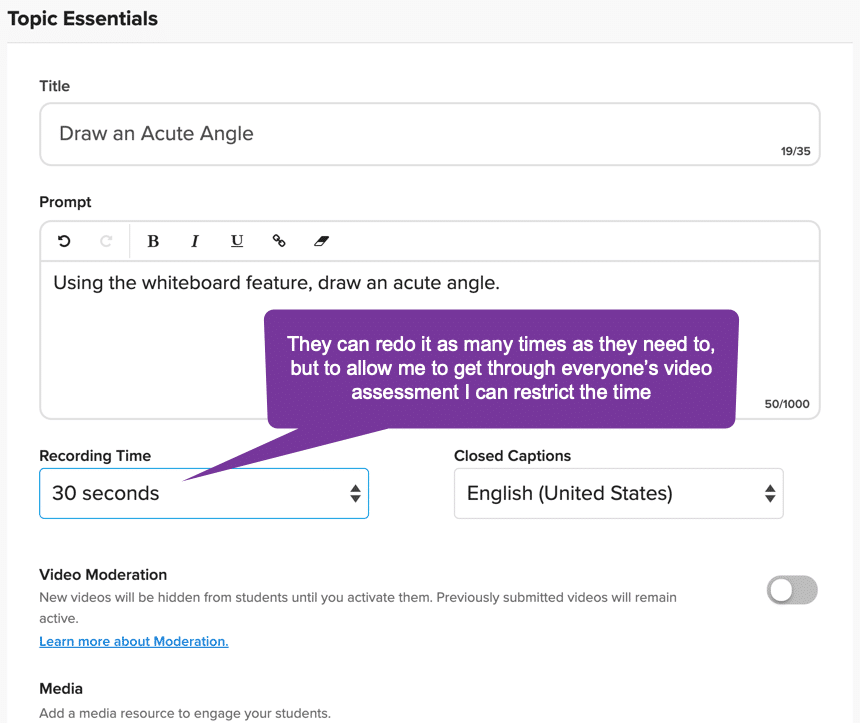
For each concept I want to assess I will create a topic. Think more “question” than “topic.”
Share the Link
Flipgrid allows you to share directly to Google Classroom or Microsoft Teams. You can also simply copy the link and share it with your students. Super easy!
Students Use Split Screen
When in their response students can click on “Effects” and “Board” to get a whiteboard. Note: Students can write on the whiteboard before they start recording to allow for sharing their thinking rather than watching them write things out.
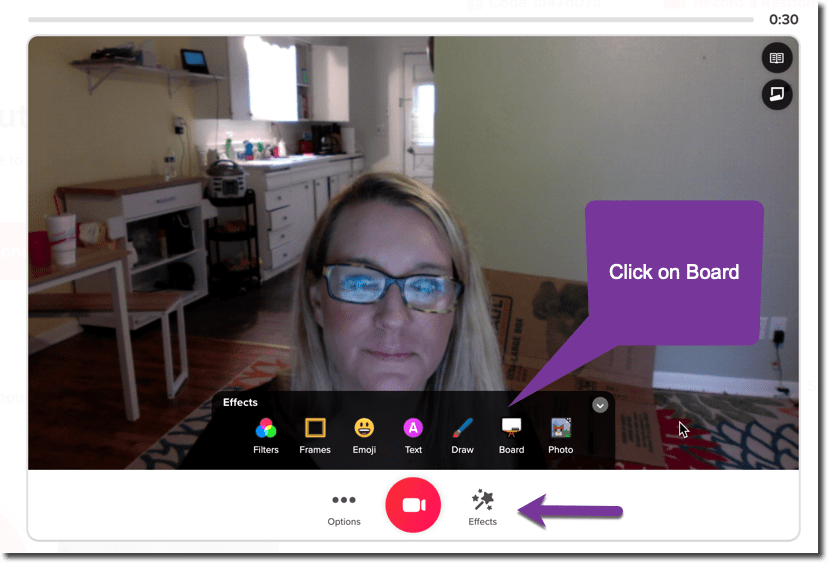
Clicking on “Board” students can choose from a variety of paper types. Once the paper is selected they can use the split screen slider to divide the screen between their face and the board.