

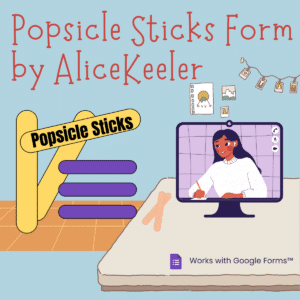




As teachers we are familiar with the idea of “popsicle sticks.” This is when we randomly call on a student. HOWEVER, this can be extremely anxiety producing for some students. When we feel anxious or put on the spot it is not necessarily our best opportunity to demonstrate what we know. Instead of a quick answer, wouldn’t we rather have a thoughtful answer? I have created an Add-on for Google Forms that allows all students to thoughtfully respond to a question. Google Forms Popsicle Sticks by AliceKeeler
Using Popsicle Sticks Form by AliceKeeler
After installing the Add-on, create a new Google Form. Go to the puzzle piece icon in the toolbar to choose “Popsicle Sticks Form.” This add-on collects NO user data.

Setup Generically
You can reuse this same Form over and over. Post the Form to your Google Classroom or other LMS. When you ask a question on the fly in class students can respond to the question to the Google Form.

Choosing “Setup” from the menu adds a question for student name and a question for student response.

Stop Hand Raising
Jo Boaler from Stanford says to stop asking students to raise their hand. It gives the impression that you want a fast answer instead of a thoughtful answer.
Tip to leave the question generic!
If you are verbally asking a question then you can continue to do this. The only change is that instead of raising their hands where only 1-2 students can participate in the question, students will respond in the Google Form.
Leave the question in the Google Form as “Response to the question” so you are not having to constantly update the Form for questions you ask on the fly.

Quick Steps
- Share Form with students
- Open the EDIT screen of the Form for yourself.
- Ask a question in class
- Use the Puzzle Piece icon to select “Popsicle Sticks Form” and “Show Random Response.”
- Read random student response. Ask student to expand or explain if desired.
- Repeat “Show Random Response” as desired to show additional student responses.
- Use the Puzzle Piece icon to “Ask Another Question” to delete out the previous responses.
Connect a Google Sheets Spreadsheet
Suggestion to click on the “Responses” tab in the Google Form to connect a Google Sheets spreadsheet. This will collect student responses. The responses from the Form COPY to the spreadsheet. When you use “Ask Another Question” from Popsicle Sticks Form the responses are deleted from the Form but NOT the spreadsheet. This allows you to see over time the student responses to questions asked in class.
Fight or Flight – According to ChatGPT
Fight or flight is a physiological response to stress or perceived danger. When a person experiences a threat, their body releases hormones such as adrenaline and cortisol, which activate the sympathetic nervous system, preparing the body for either fighting the threat or fleeing from it.
In the context of randomly calling on a student to give an answer, this can trigger a fight or flight response in the student. The student may feel anxious or stressed about the possibility of being called on, especially if they are unsure of the answer or feel unprepared. This can lead to physical symptoms such as increased heart rate, sweating, and a feeling of butterflies in the stomach.
In some cases, this response can be helpful, as it can motivate the student to study and be prepared for class. However, if the stress becomes chronic or overwhelming, it can have negative effects on the student’s academic performance and well-being.
As a teacher, it’s important to be aware of this response and to create a supportive and safe learning environment for all students. Randomly calling on students can be a useful teaching tool, but it’s important to use it in a way that is fair and respectful, taking into account each student’s individual needs and abilities. Encouraging participation and providing positive feedback can help to reduce stress and increase engagement in the classroom.
-

ReadWorks and the Power of the Daily Article Routine
ReadWorks is a free, research based, tool to aid in reading comprehension. Try the Article-A-Day to save time and provide differentiated options for readers.
-

DOK = Critical Thinking
DOK is the measurement of critical thinking on a task. Better understanding Depth of Knowledge helps you to better incorporate critical thinking into lessons.
-

3 Google Sheets Shortcuts You’ll Actually Use
The answer is always a spreadsheet, but sometimes the tips are hard to remember to implement. Practice these 3 Google Sheets shortcuts to really help
-
Transforming the Reading Log
Reading logs can lean into compliance over developing a love for reading. Try ReadWorks to help support building knowledge and a love of reading.
-
10 YouTube Hacks for Teaching
YouTube is a powerful tool in the classroom. Here are 10 hacks to help you get more out of YouTube.
-
Amplify Student Voice and Redefine Classroom Possibilities
Technology should serve as a bridge that connects students rather than a wall that isolates them. Curipod™ helps fulfill the true promise of educational technology by shifting the focus from passive clicking to active student voice.



