






Bring Digital Simulations Into Your Classroom
PhET from the University of Colorado Boulder provides digital simulations for math and science concepts. No registration is required, you can easily push out these simulations to your students via Google Classroom.
Share to Classroom
Be on the lookout when using non Google products for the opportunity to share directly to Google Classroom. Google Classroom makes it easy for companies to allow you to create a Google Classroom assignment right from the EdTech product itself. Find the simulation you want your students to engage in and on the side is a Google Classroom icon. Click on it to start building a Google Classroom assignment. 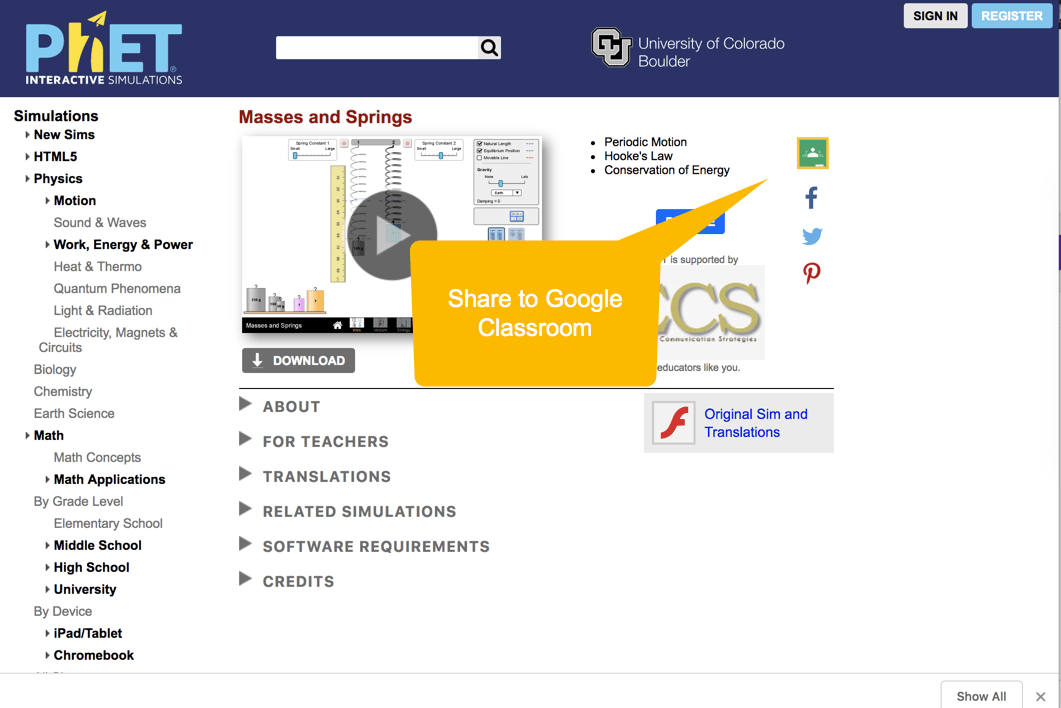
Creating an Assignment
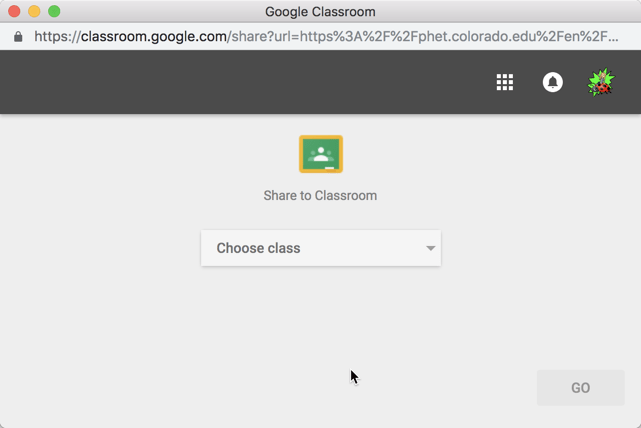
After clicking the Share to Classroom button, a small pop up window will allow you to select the class you want to assign to.
Then you will “Choose action,” most likely “Create assignment.”
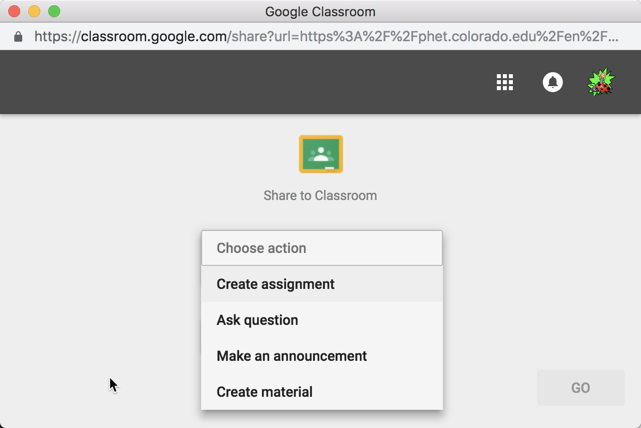
This gives you the full assignment box to fill out. Assign to multiple classes, differentiate by only assigning to certain students in the class, give it a title, assign points, due date, topic, and assign or schedule the simulation.

Data Only Links to Activity
Note that this only links to the activity on PhET. No data about student work is transmitted back to Google Classroom. Students will need to reflect in the Private Comments and provide screenshots of their work on the simulation.





