






Student voice acts as the heartbeat of a thriving classroom. It transforms passive listeners into active participants who own their learning journey. Technology should serve as a bridge that connects students rather than a wall that isolates them. We want to use digital tools to interact and be together in a shared learning space. Tools that merely ask students to click through a program in silence may not create the best learning environment. The true power of educational technology lies in its ability to facilitate deep discussion and collaboration. The ultimate goal is to leverage these tools to amplify contribution and ensure every child knows their voice matters.
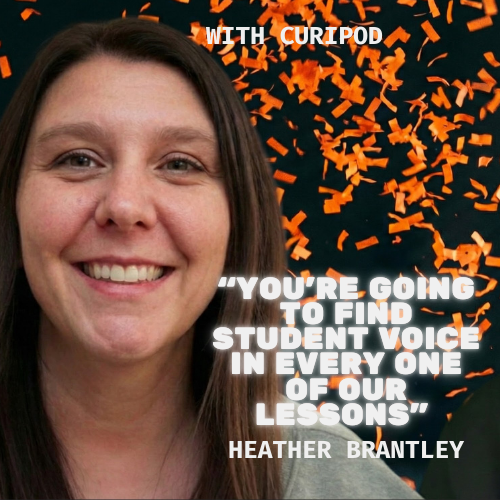
Curipod Champions Student Voice
We place students in classrooms to foster community and collaboration. Technology often threatens to turn this environment into a room of isolated individuals. Heather Brantley from Curipod emphasizes the importance of shared space. She reminds us that “There’s a reason that we put them in a classroom to learn together.” We must select tools that honor this collective purpose.
Moving Beyond Passive Consumption
Education requires active participation to truly stick. Students cannot simply consume information and expect to retain it long term. Heather Brantley warns against this superficial approach to schooling. She states “If kids are just in there to grab and go that’s not something that they’re going to be able to hold onto and maintain.” Meaningful technology demands that students contribute their own thoughts.

Delivering high-quality content, tools, and support for reading comprehension
ReadWorks is a free, research-based website designed to support educators in teaching reading comprehension across grades K–12. It provides a rich library of high-quality, standards-aligned instructional content.
Article-A-Day, helps students build knowledge and vocabulary in just 10-minutes a day.
A Conversation with Heather About Student Voice
While Heather Brantley now works for Curipod, former math teacher, we met to share our passion for student voice. Check out the conversation.
Curipod Amplifies Peer Learning
Curipod is designed to elevate student voice through interaction. It allows students to see and evaluate the ideas of their classmates. Heather Brantley highlights the value of this reciprocal process. She notes that we are “giving students an opportunity not just to learn but to learn from each other.” This shift validates the unique perspective of every child in the room.
TidyDoc by AliceKeeler

Collects NO User Data
Quickly clean up your Google Doc™ with this FREE Add-on from Alice Keeler.
- One space after the period.
- Remove extra blank paragraphs
- Indent each paragraph
- All headings to TitleCase
- and more!
Building Empathy Through Interaction
We want students to develop empathy and understanding for others. This is impossible if they never hear what their peers are thinking. Heather Brantley asks a powerful question about this necessity. She asks “How can we ever learn to appreciate another person’s point of view if we never heard another person’s point of view?” Technology must facilitate these crucial exchanges of ideas.
Guiding Busy Teachers
Some educators worry that AI tools might replace valuable instructional planning. The reality is that these tools support sustainable teaching practices. Heather Brantley clarifies the role of technology in lesson design. She argues “It’s not making lazy teachers. It’s help guiding busy teachers.” This support allows teachers to focus on facilitating high quality discussions.
Using AI to Improve Not Replace
We must teach students to use technology responsibly and ethically. They need to view AI as a coach rather than a ghostwriter. Heather Brantley advises students on how to maintain their own voice. She tells them to “use it to help you improve but don’t use it to replace you.” This approach ensures that student voice remains the central element of the work.
Doc to Slides
Quickly turn your Google Doc text into Google Slides
Created by AliceKeeler – Collects NO user data.

How Curipod Supports Student Voice
I want to be clear that this post is not sponsored. My excitement comes from finding tools that authentically center student voice and change how we interact in the classroom. Curipod offers a distinct workflow that shifts the heavy lifting from the teacher to the students. It turns a standard presentation into a two-way conversation where everyone contributes.
Everyone Answers Every Question
The core mechanic of Curipod is simple but transformative. You pose a question and every single student answers it on their device. This creates a moment where thirty students are thinking and contributing simultaneously. It eliminates the problem of one student dominating the discussion. We no longer have to rely on the same three hands raised in the front row.
The Magic of Anonymous Voting
Once students submit their answers, the magic happens. Curipod displays pairs of anonymous answers on student screens. Students vote for the response they think is best or most accurate. This peer review process is engaging because it feels like a game. It forces students to critically evaluate the work of their classmates without bias.
Curating the Best Ideas
The voting process generates a curated list of top answers. The teacher can then display these peer-selected responses for the whole class to discuss. This means the discussion is driven by what the students found valuable or interesting. It validates their judgment and keeps the conversation relevant to their thinking. You spend class time analyzing the best ideas rather than correcting the worst ones.
AI Feedback Loops
Curipod uses artificial intelligence to provide instant personalized feedback. Students can receive immediate suggestions on their writing or even their drawings. This allows them to reflect on their work in real time. Teachers can then ask the same question again to let students apply that feedback immediately. This cycle of draft, feedback, and revision happens within minutes.
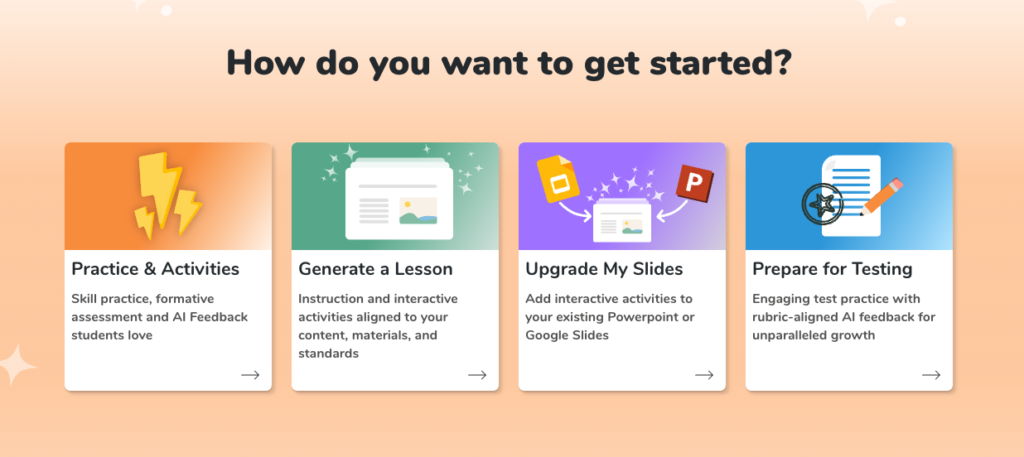
Creating Lessons in Seconds
Teachers do not need to start from scratch. You can upload your existing slide decks from other platforms directly into Curipod™. You can also use their AI tools to generate full lessons by simply entering a topic and grade level. The “Chili Pepper” practice skill lessons automatically advance the level of critical thinking as the activity progresses. This intentional design respects your time while upgrading the student experience through a variety of interactive lesson types.
Add A Date Add-on for Google Slides™

Collects NO User Data
Free Add-on for Google Slides to add the date to slides. This can help make it visible to others when the slides were last updated.
Additional features to add a date slide, adding a custom note to all slides, add a watermark, progress bar, and more.
“Giving students an opportunity not just to learn, but to learn from each other.” – Heather Brantley
Realizing The Promise Of EdTech Through Student Voice
Educational technology often promises to connect us. Yet it frequently results in a room full of students silently staring at screens. This isolation betrays the true potential of digital tools. Technology should serve as an amplifier for human interaction rather than a replacement for it. Curipod reclaims this lost promise by using technology to spark debate and facilitate peer review. It ensures that every student contributes to the collective intelligence of the room. This shift restores the classroom as a vibrant community where every child is truly heard.



