Spreadsheets oftentimes have dates. I bet right now you have a spreadsheet that has a column with a list of dates. Perhaps your students birthday or when you plan to teach a particular lesson. Since “The answer is always a spreadsheet” in my book, I prefer the flexibility of organizing and planning my lessons from a spreadsheet. However, it’s hard to get a picture of how this really looks from a calendar point of view. So I made an Add-on “Make Calendar View.“
Make Calendar View by AliceKeeler
As always my Add-on does not collect user data. As an educator, privacy is very important to me. This is an Add-on for Google Sheets. Find all 38 of my Add-ons here.
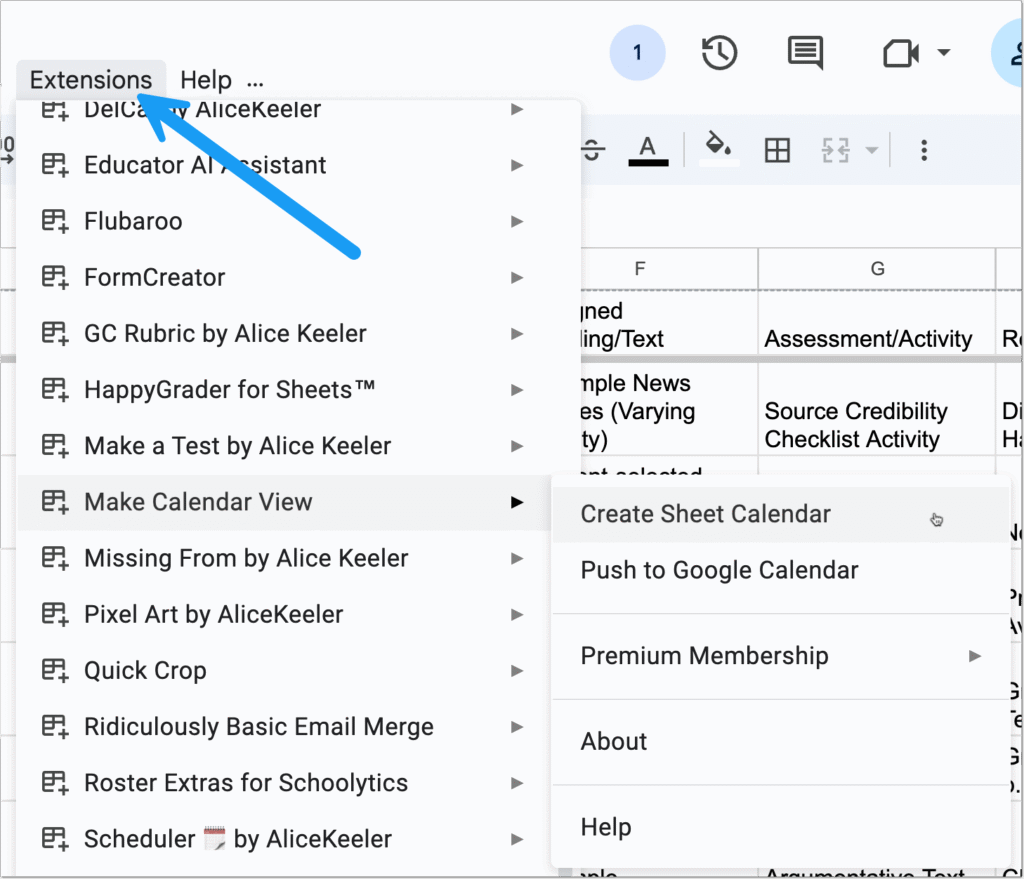
Start with any spreadsheet. Row one is your column headers, what goes in each collumn. One of those columns needs to contain dates. After installing the “Make Calendar View” Add-on, use the Extensions menu to view this table in a calendar view. It is SO EASY!
Use the Extensions menu in any Google Sheets spreadsheet
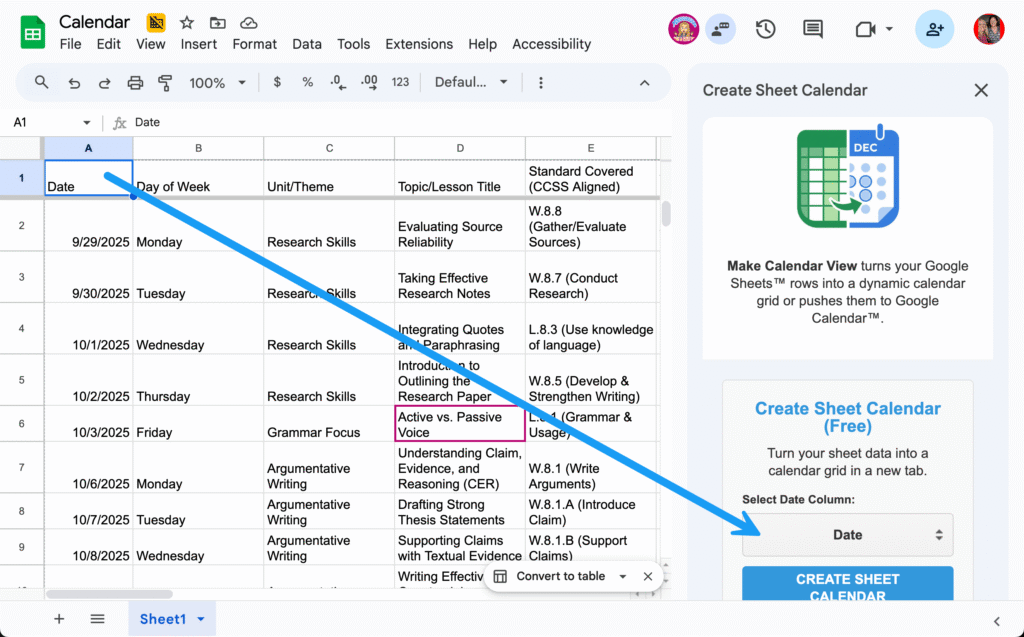
Show the Sidebar
Selecting “Make Calendar View” from the Extensions menu will reveal the sidebar. Use the dropdown menu to select which column contains the dates you want visualized in a calendar. Each row will be organized into a calendar view, for up to 10 columns.
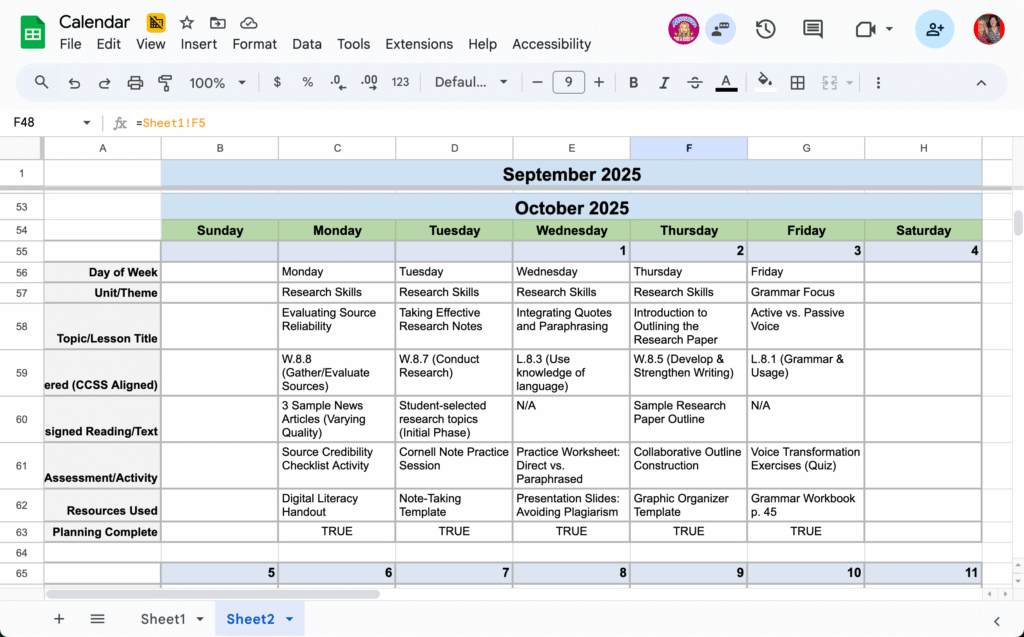
In my example I show a list of what I want to teach and what day I plan to teach it. Make Calendar View took each row and organized it vertically under the day of the week indicated by the date column. This makes it a lot easier to read, as well as gives me a visualization of how it looks over the course of the month.
Each Entry is Cell Referenced to the Sheet
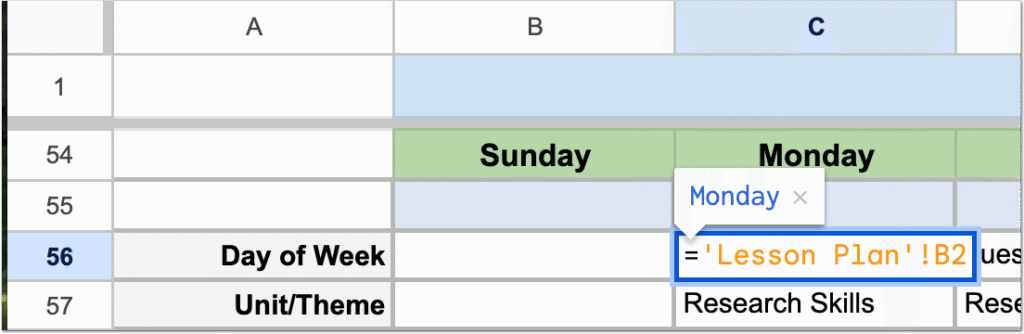
If you double click on the cells in the calendar you will see that they are using cell referencing to bring in the values from the original sheet. Thus any updates in the original sheet will be reflected on your calendar. You could start with a blank list, unsure what you’re going to teach on what day, and simply list the dates to create the calendar view. Then, fill in the details on your original sheet and they will automatically be represented in the calendar view.
Edits Belong on the Original Sheet
If when viewing the calendar view you realize you want to change some information, you will need to return to the original sheet to make those changes. Edits made on the calendar are not visible in the original sheet.
Send Your List to Google Calendar
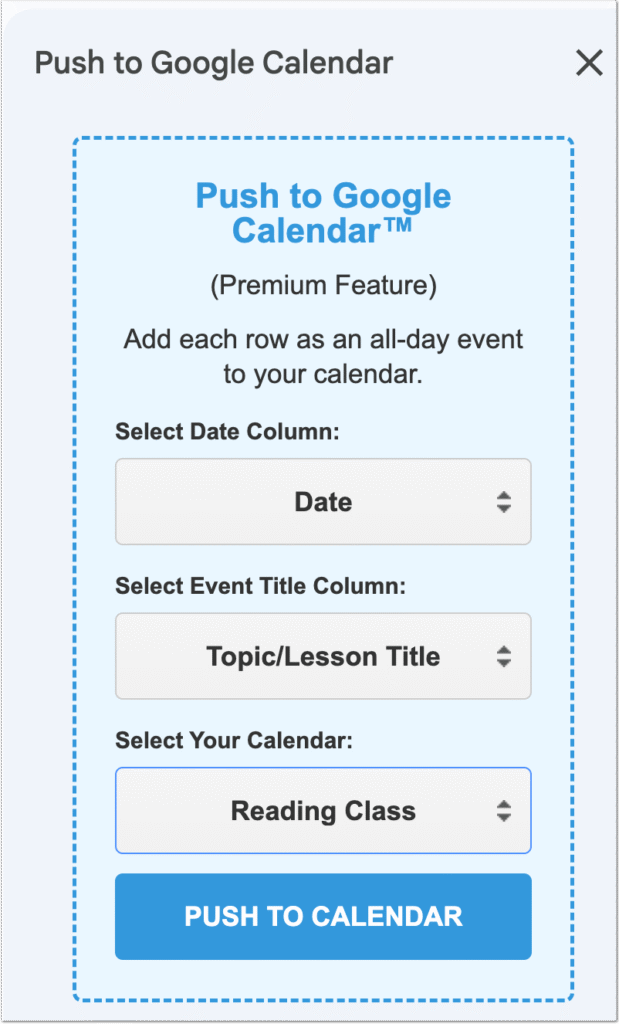
Make Calendar View by default creates a calendar in a new sheet in your Google Sheets spreadsheet. However, you may want your information in your actual Google Calendar. This is really handy to quickly make a lot of calendar entries at once. For example, you may have a list of all of your students birthdays in a spreadsheet and want to have those reflected on a birthday calendar you created in Google Calendar.
Use the sidebar to indicate which column has the date, what column you want to use as the event title, and what column you will push the events to.
Become a Premium AliceKeeler Member
Please consider supporting my work of creating resources for teachers by becoming a premium member. This provides you unlimited access to the premium features of my Add-ons across your different accounts.
All the Row Information in Your Google Calendar
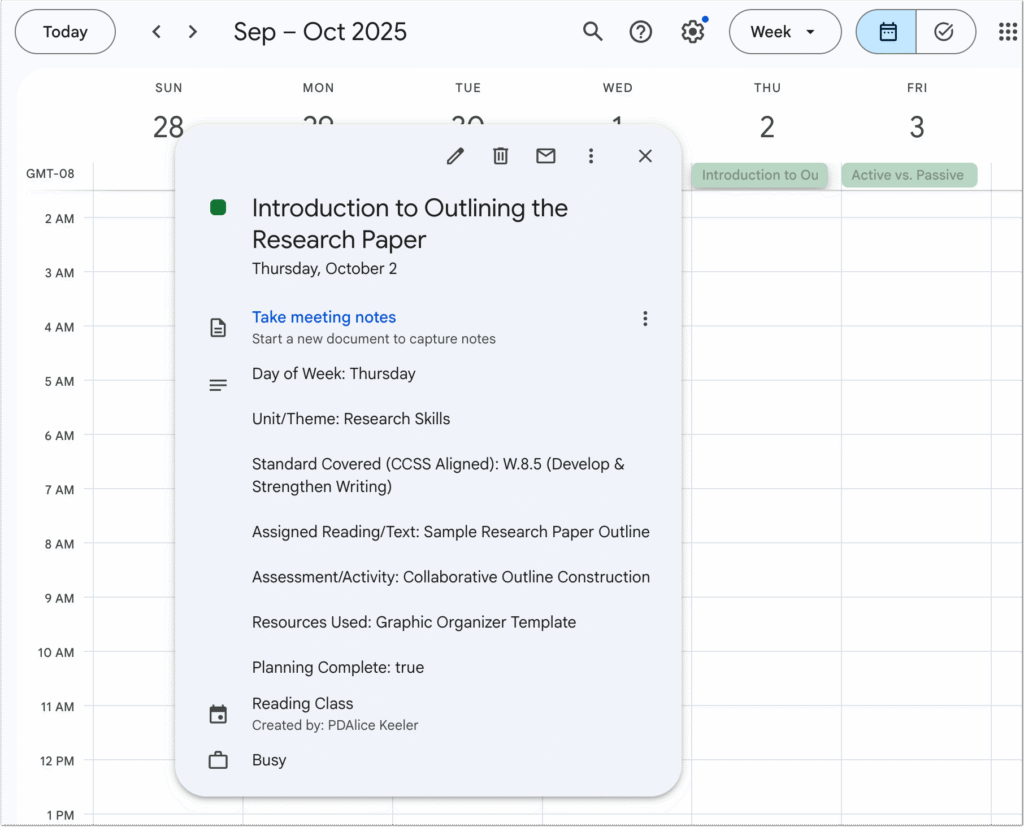
After pushing your calendar events to Google Calendar notice that all of the information from the row, up to 10 columns, are displayed in the calendar event.
I have a calendar I created in Google Calendar specifically for my lesson plans. “Make Calendar View” makes it easier for me to start my lesson plans in a spreadsheet and then move to my Google Calendar that I can embed on my website or share with other teachers if I wish.
Events Not Connected
Please note that any changes made in Google Calendar will not be reflected in your spreadsheet and vice versa.
Make Calendar View in All Spreadsheets
After installing Make Calendar View this will be easily available to you in any of your spreadsheets. Since the calendar view is created in a new sheet you can choose to display your data as a calendar any time without messing up your spreadsheet. Enjoy!