


Google Sites websites allow you to add a button to the pages. Buttons are very helpful to bring attention to links you particularly want students to click on.
Insert Menu
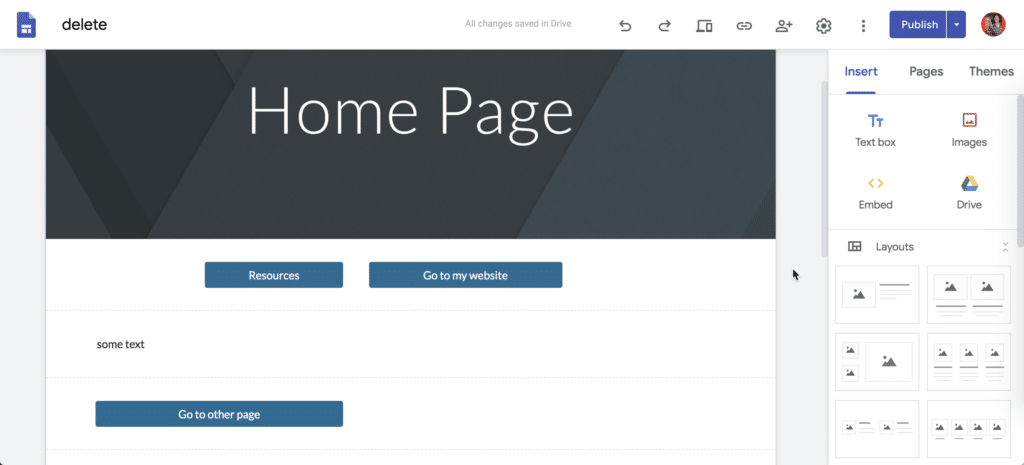
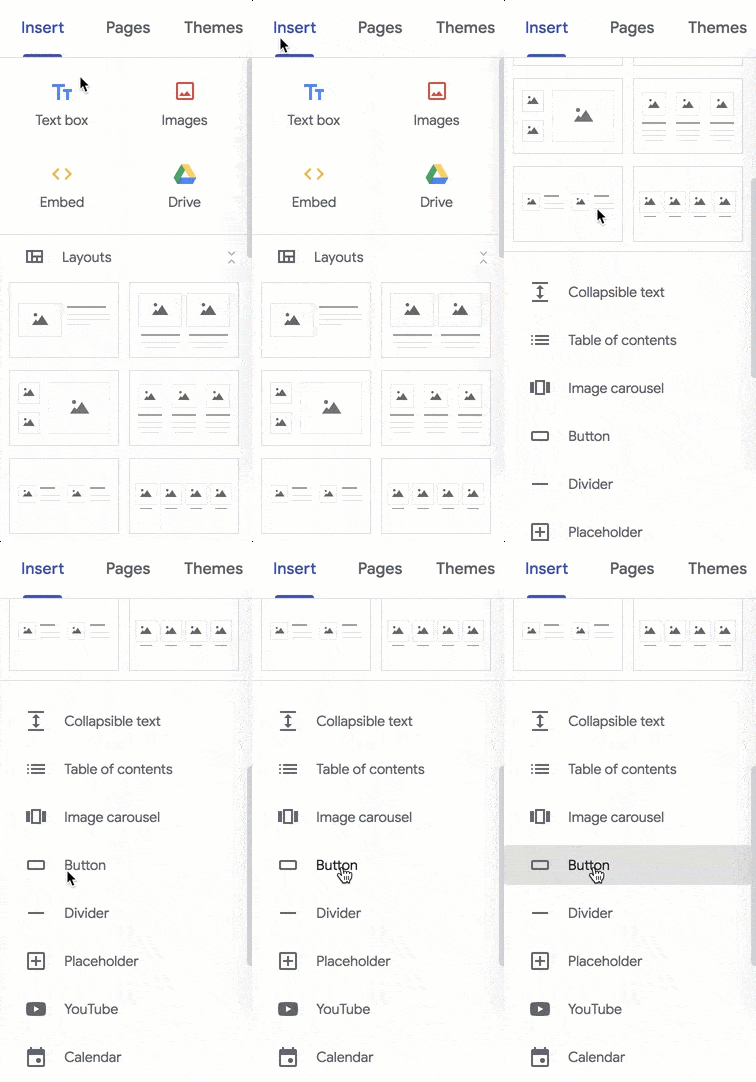
While editing your Google Site, notice the “Insert” tab in the right side bar. Scroll down a bit in the sidebar to find “Button.”
Select the Section First
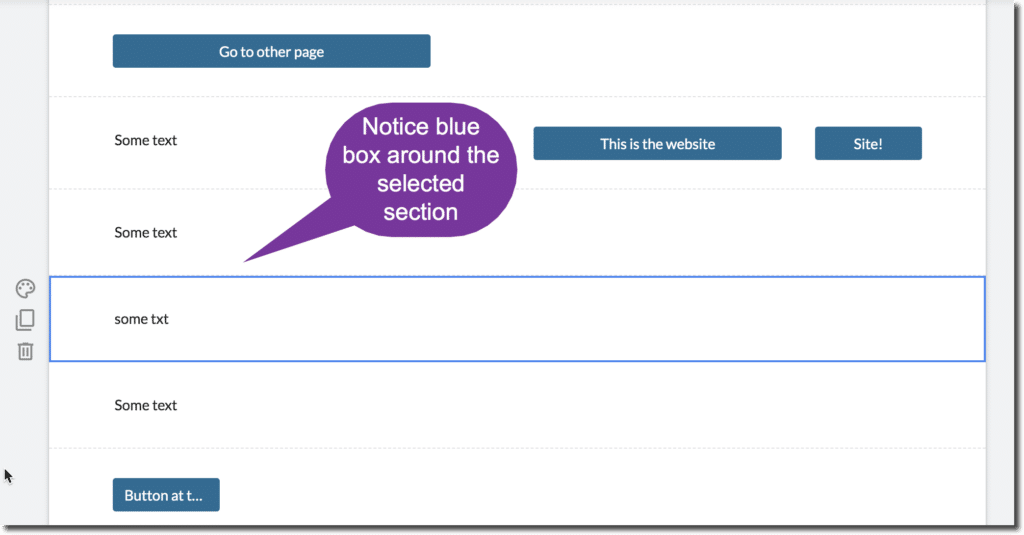
The button will insert at the bottom of the page by default. If you first select the section then when you click on “Button” on the Insert tab the button will appear in a section right below the selected section.
Adding a Website
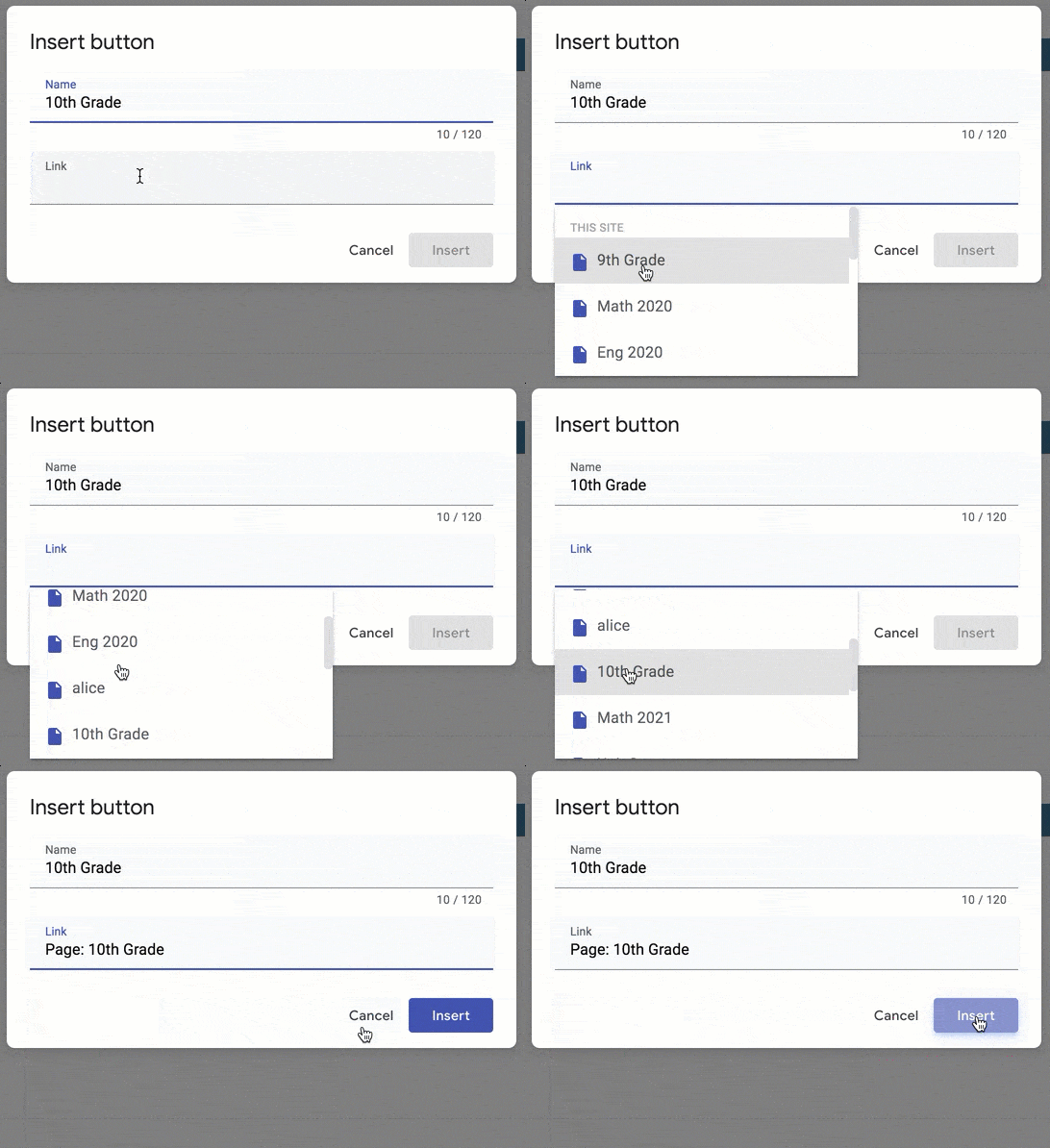
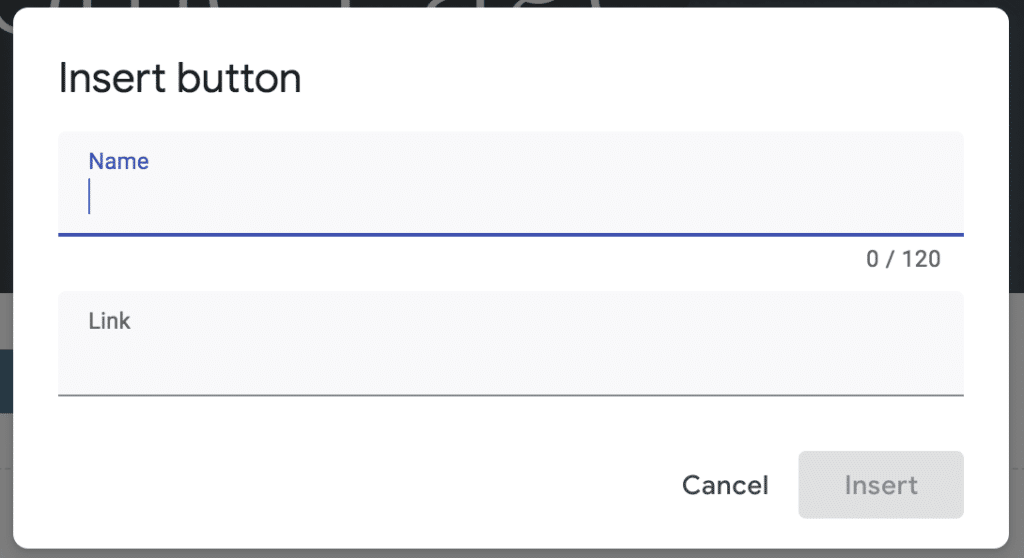
The first slot on the button pop up is what you want the button to say. Note that there is no word wrap. If you write more than “Click Here” then you will need to make your button wider on the page for the viewer to see all of the button text. The second line is where you paste the URL of the website you want to link to. Make sure you include the http:// in the URL.
Linking to a Page on the Google Site
If instead of having the button link to an external website you can have the button navigate the viewer to another page on the site. When you click on the 2nd line that says “Link” a drop down will appear to allow you to choose from a page already on the site.