

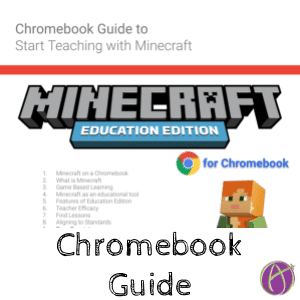


This Fall I will be teaching high school Geometry on Chromebooks with Minecraft. I am very excited! I have created a guide (in Google Slides) for teaching with Minecraft: Education Edition on the Chromebook. Minecraft: Education Edition allows me to engage students and provide a context for what they are learning. This is the perfect tool no matter what subject you teach.
The first step to getting Minecraft: Education Edition for the Chromebook is to have your district obtain FREE Microsoft education accounts. Have the person who manages the Chromebooks push out the Minecraft: Education Edition app. Tip: Have students pin the Minecraft: Education Edition app to the shelf.
Provide a Challenge
The first way you can get started using Minecraft: Education Edition in your classroom is to simply allow the students to demonstrate their learning in Minecraft: Education Edition. Think of Minecraft as a giant manipulative of Legos. Students can build and design just about anything.
“Use Minecraft to demonstrate concentric circles.”
No templates or Minecraft knowledge by you is required.
Camera and Portfolio
Built into Minecraft: Education Edition is an in game camera and portfolio. The student needs to put the camera into their inventory hotbar. Place the camera in their hand and right click. This will take a picture in the game and automatically add it to their Minecraft Portfolio. Students put the portfolio in their hand and right click to export. The portfolio will export as a PDF they can submit as evidence of their work.





1 thought on “Chromebook Guide for Teaching with Minecraft: Education Edition”
I personally, as a 36 year old man, love Minecraft and I am super excited to see it used as an educational tool. I am an intervention specialist to young middle school students would love to find a way to involve Minecraft for educational possibility, not just the novelty. Thank you for sharing this inspiration!