



If you are a Mac user you may not be aware that your computer has a basic text editor. I find this handy when the internet is down or if I just want to paste some information somewhere temporarily.
Spotlight Search
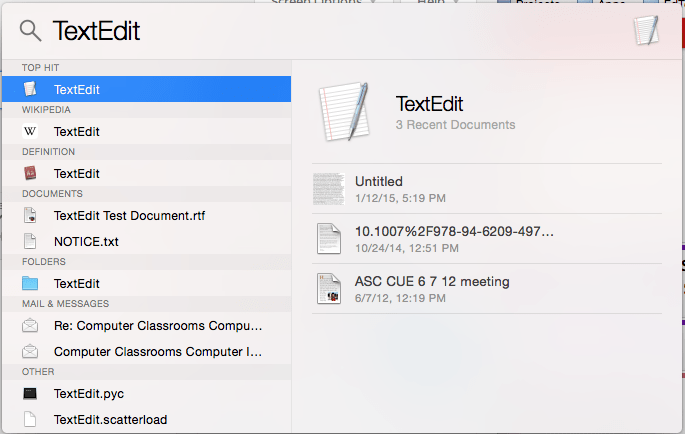
I keep almost no apps in my dock. Instead I use a spotlight search to find any application I want to use. Use Command Spacebar to launch a spotlight search on your Mac. Once the Mac starts to show “TextEdit” (You do not have to type the entire word) press enter to launch TextEdit.
New Document
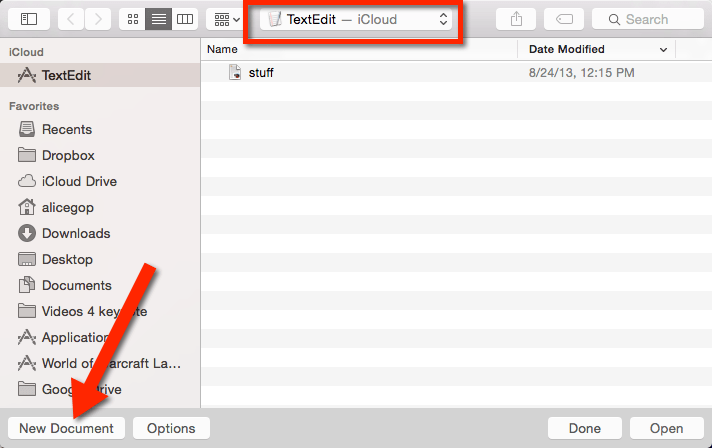
In the bottom left of the window that pops up is the option to create a New Document if you do not want to open a previously created TextEdit document. Notice the location of where your documents are saving. Mine are defaulting to iCloud. You may want to save to your Documents or Desktop.
Bare Bones
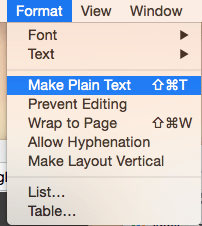
The TextEdit is bare bones text editing. Not intended for anything fancy, so it is fast to load up. It does save as a Rich Text File (.rtf). I have had need for a plain text file (the website will not upload an RTF file). In that case use the Format menu to choose “Make Plain Text.”